URL Encoded Block
When your API expects form data in the traditional application/x-www-form-urlencoded format, this is your block.
The URL Encoded Block in Voiden gives you a simple key-value table to define form fields — the same format web browsers use when you submit an HTML form.
Add your fields as rows in the table, and Voiden handles the URL encoding automatically.
No manual percent-encoding. No worrying about spaces, special characters, or ampersands.
Try it Out
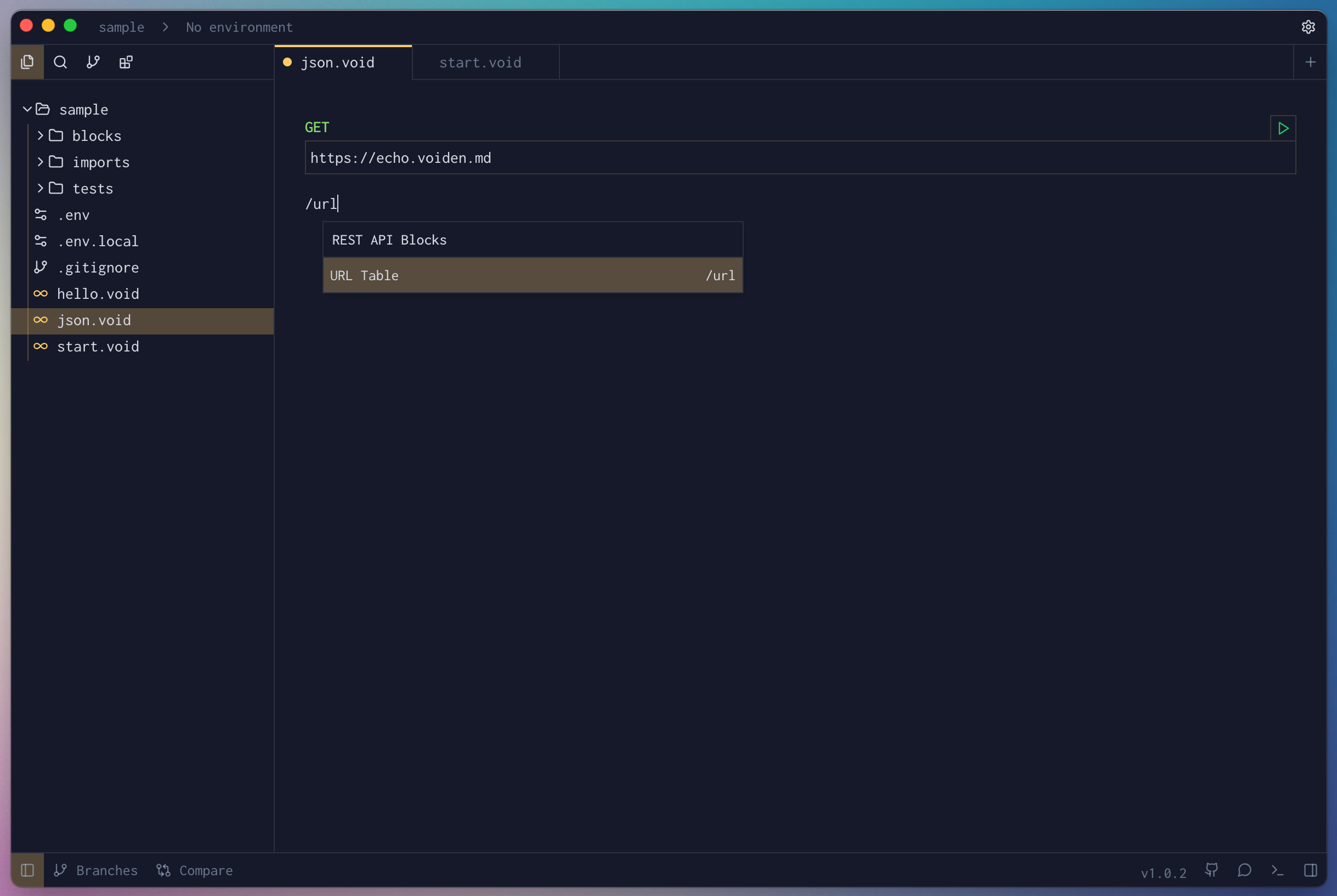
- Type
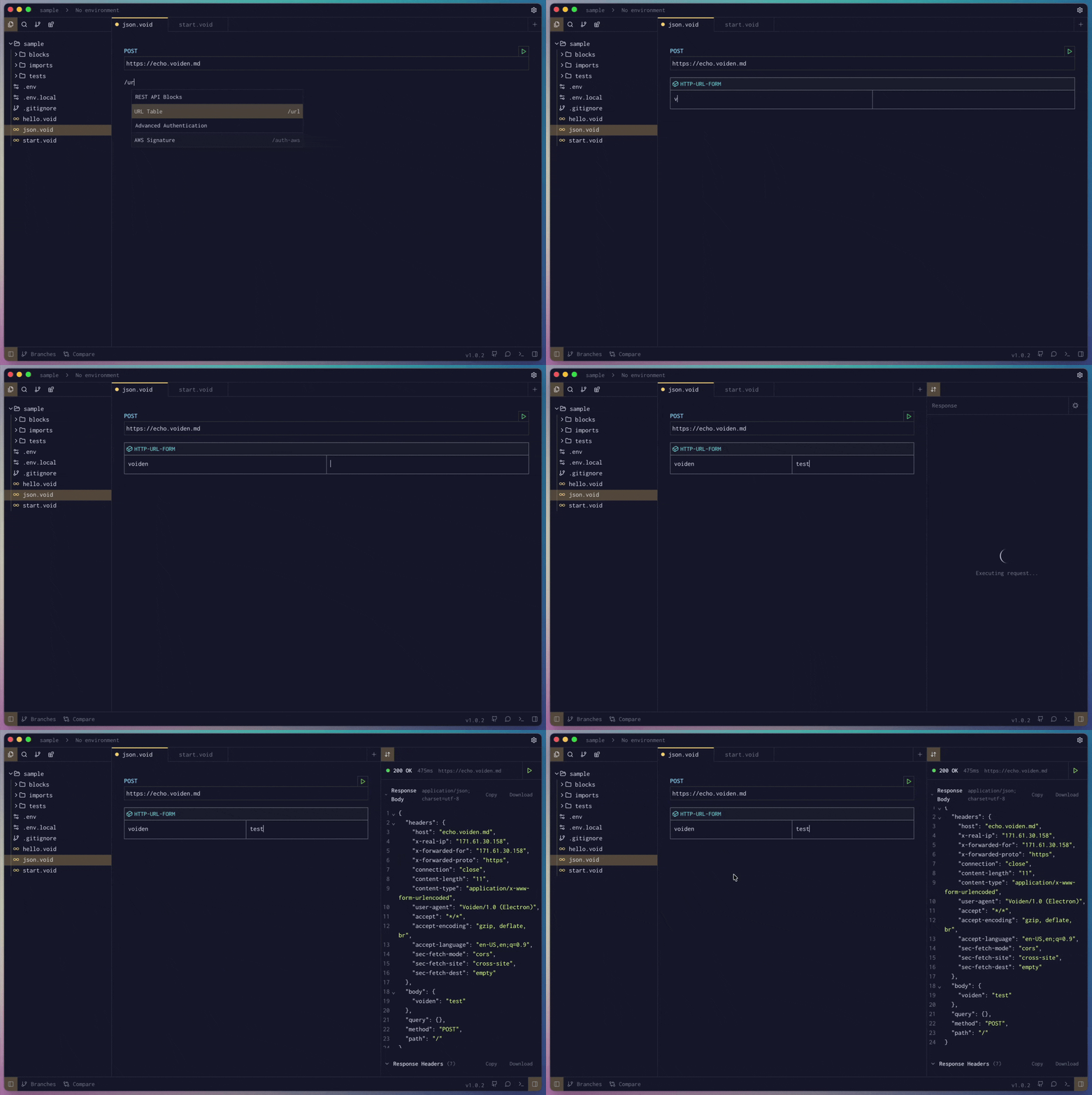
/urland press Enter to create a URL Encoded Block.
- Add some url encoded form fields to your request.
- Run the request using Cmd + Enter (Mac) or Ctrl + Enter (Windows/Linux),
or click the green Play button in the toolbar.
Pro Tip: Want to temporarily disable a URL encoded form data field without deleting it?
Use Cmd + / (Mac) or Ctrl + / (Windows/Linux) to comment it out.
It’ll stay visible but won’t be sent with the request.
The URL Encoded Block handles classic form submissions with zero hassle.
No encoding headaches. No format confusion. Just straightforward form data.