Options Block
Global settings are great as a baseline — but sometimes a single request needs to behave differently from everything else. The Options Block gives you per-request control without touching your global config. Drop it into any section, set what you need, and Voiden handles the rest. Everything outside that section stays exactly as it was.
Inserting the Block
Type /options anywhere inside a .void file to insert the options table. It lives inline with the rest of your request — right alongside headers, body, and auth.
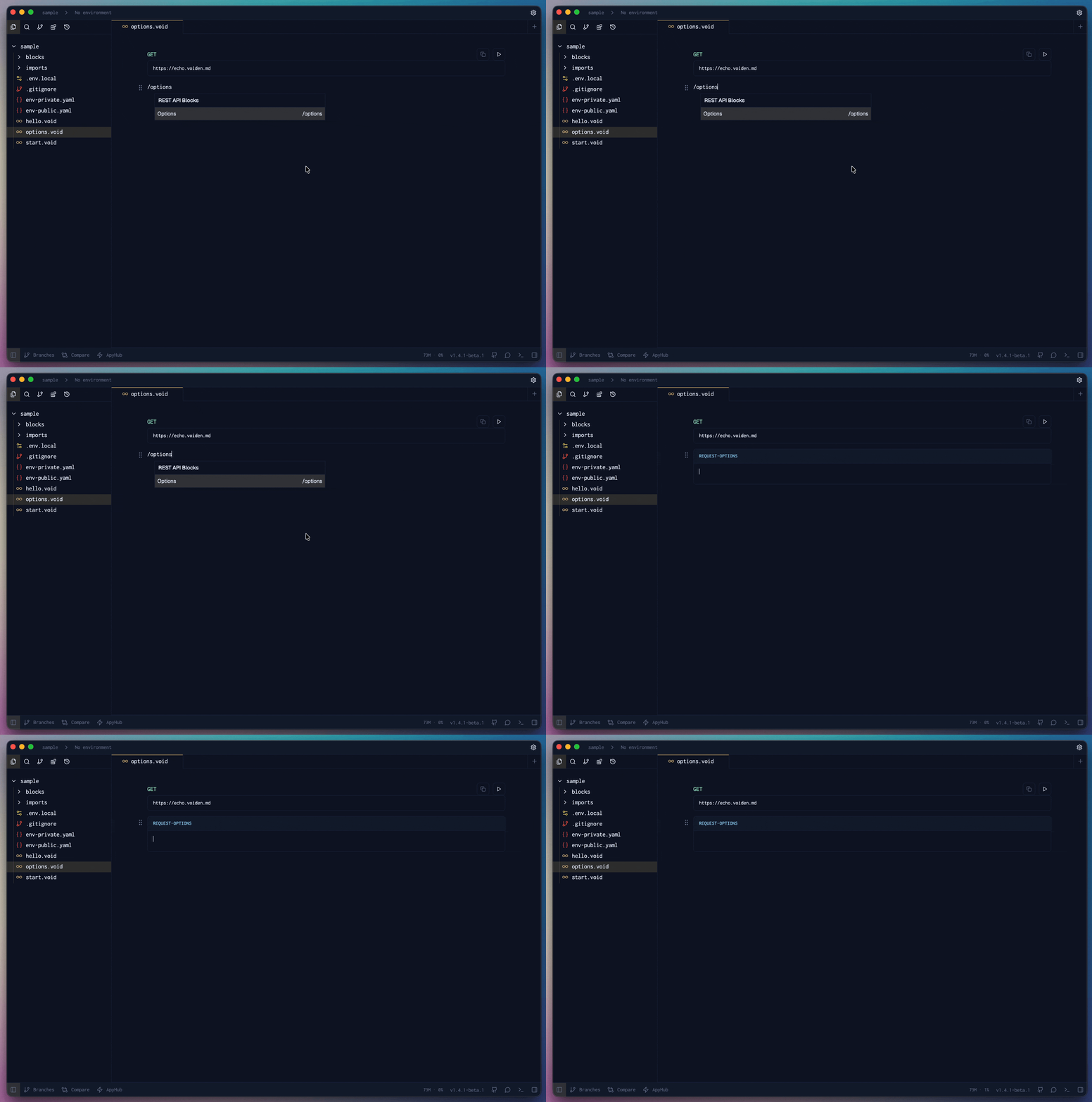
The options block is a singleton per section. Inserting /options a second time in the same section replaces the existing table rather than stacking a second one on top.
How It Works
Under the hood, the flow is straightforward:
- When a request is sent,
getRequestFromJsonreads all enabled rows from theoptions-tableblock. - Each row's
keyandvalueare collected into aRecord<string, string>object and attached to the request asmetadata. - The Electron main process reads
metadatabefore executing the HTTP fetch and applies any recognized options. - Unrecognized keys are ignored silently — a typo won't break anything, but it also won't do what you expect. Use the built-in autocomplete to stay accurate.
Supported Options
| Key | Values | Default | Description |
|---|---|---|---|
follow_redirects | true / false | true (from global settings) | Whether to follow HTTP 3xx redirects automatically. Set to false to stop at the redirect and inspect the raw response. |
timeout is currently a global-only setting, configured under Settings → Requests → Timeout. It is applied at the HTTP agent level and cannot be overridden per-request via the options table yet. Only follow_redirects is read from per-request metadata at this time.
Option Details
follow_redirects
By default, Voiden follows redirects transparently — your request goes out, the server responds with a 302, and Voiden quietly chases it until it lands somewhere final. Most of the time, that's exactly what you want.
But sometimes you need to see what's happening in between. Setting follow_redirects to false stops Voiden at the first 3xx response and returns it directly — Location header and all.
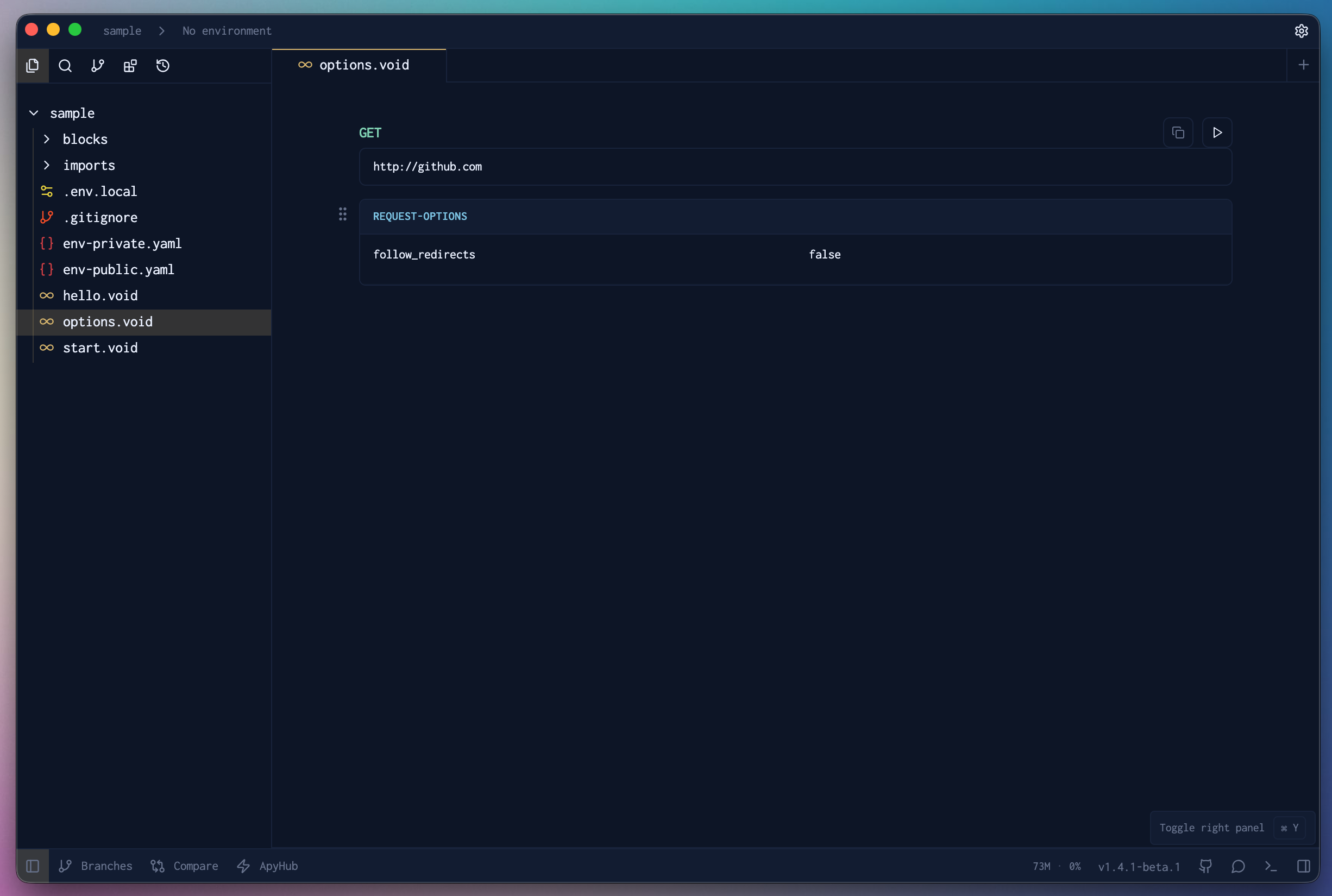
follow_redirects false
| Value | Behavior |
|---|---|
true (default) | Follows all 3xx redirects transparently. Returns the final response. |
false | Stops at the first 3xx. Returns the redirect response directly. |
When false is useful:
- Debugging redirect chains — see exactly where a request is being sent before the client follows it
- Verifying redirect targets — confirm the
Locationheader points to the right place after a login, move, or alias - OAuth callback flows — catch the redirect carrying an auth code or token in the query string before it's consumed by the next request
If follow_redirects isn't present in the options table at all, the value falls back to the global setting under Settings → Requests → Follow Redirects.
Precedence
When an options table is present, it always wins — for that request and that request only.
per-request options-table > global settings
The moment the request completes, the override is gone. Nothing leaks into other requests, other sections, or other files.
Scoping in Multi-Request Files
Each section in a .void file owns its options independently. An options block in one section has zero effect on any other — they don't share state or inherit from each other.
GET https://api.example.com/login
[options]
follow_redirects    false
# Stops at the redirect — grab the Location header directly

---

GET https://api.example.com/dashboard
# No options block — falls back to the global follow_redirects setting
This makes it easy to test different behaviors side by side in the same file without them interfering with each other.
Autocomplete
The key column has built-in autocomplete. Start typing in the first cell and Voiden shows all supported option keys with short descriptions inline. It's the fastest way to discover what's available and avoid silent misses from typos.
Linked Blocks
Like headers, query params, and auth, the options table supports block linking. Link a shared options configuration from another file so multiple requests can reuse the same settings without duplication.
If the source file changes, linked blocks display a source sync indicator — so you always know when you're looking at something that might be out of date.