Reusable Blocks
Because repeating the same thing is for parrots, not developers.
What Are Reusable Blocks?
Reusable Blocks are your little time-saving buddies. Instead of typing the same Voiden blocks again and again (and again…), you just create a block once in a Voiden file and reuse it everywhere you want. This saves time but also helps you keep things consistent: The block values can be inherited to all the documents you create and link these blocks to. Confusing? Let’s explain them a bit more...
How They Work
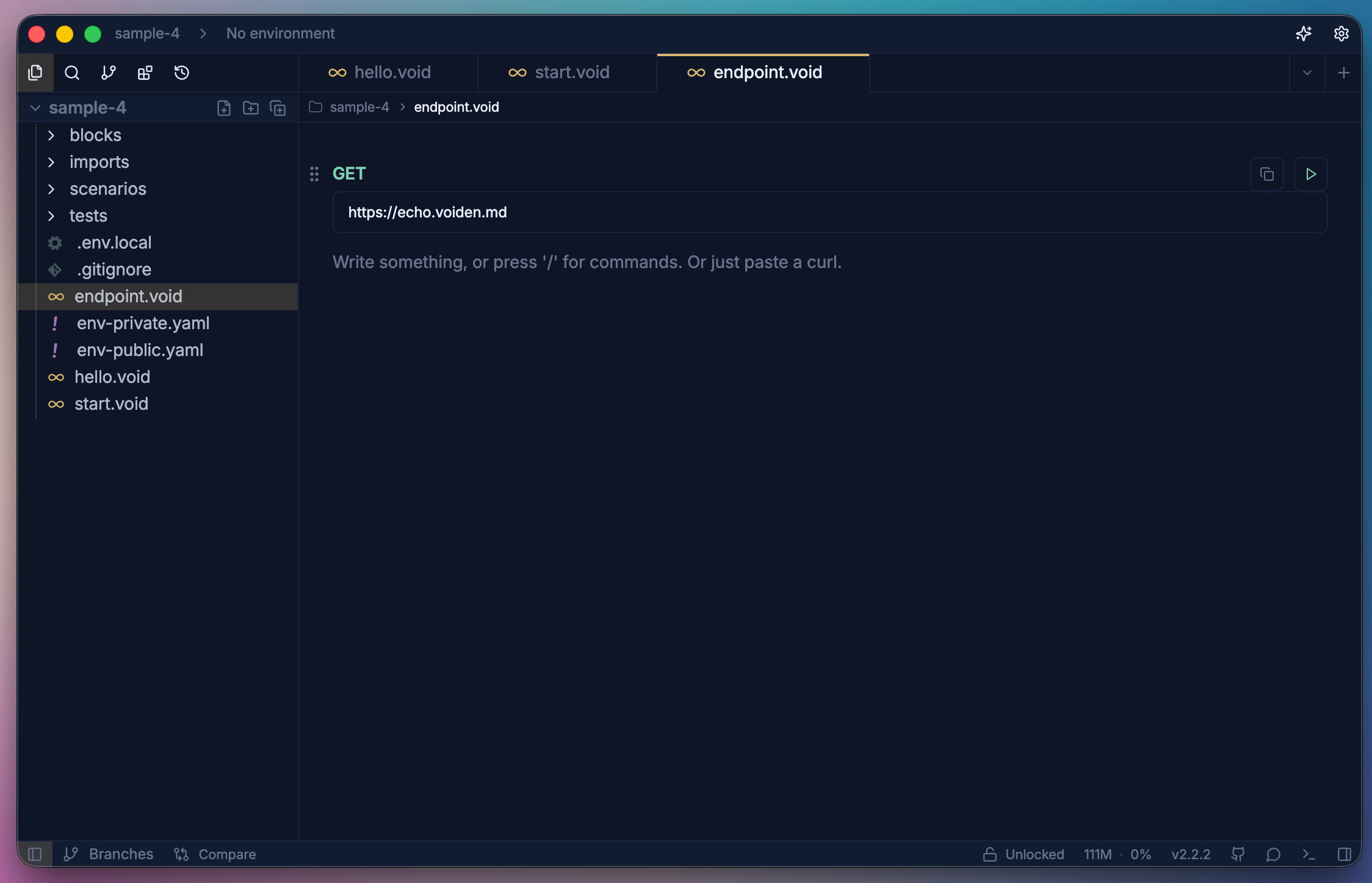
- Before importing, first create a block that can be reused across multiple Void files. Define your content and save it as a reusable block.
- Type
@to show the list of linkable files or blocks - Focus on a void file and press
Space barto see the blocks of that file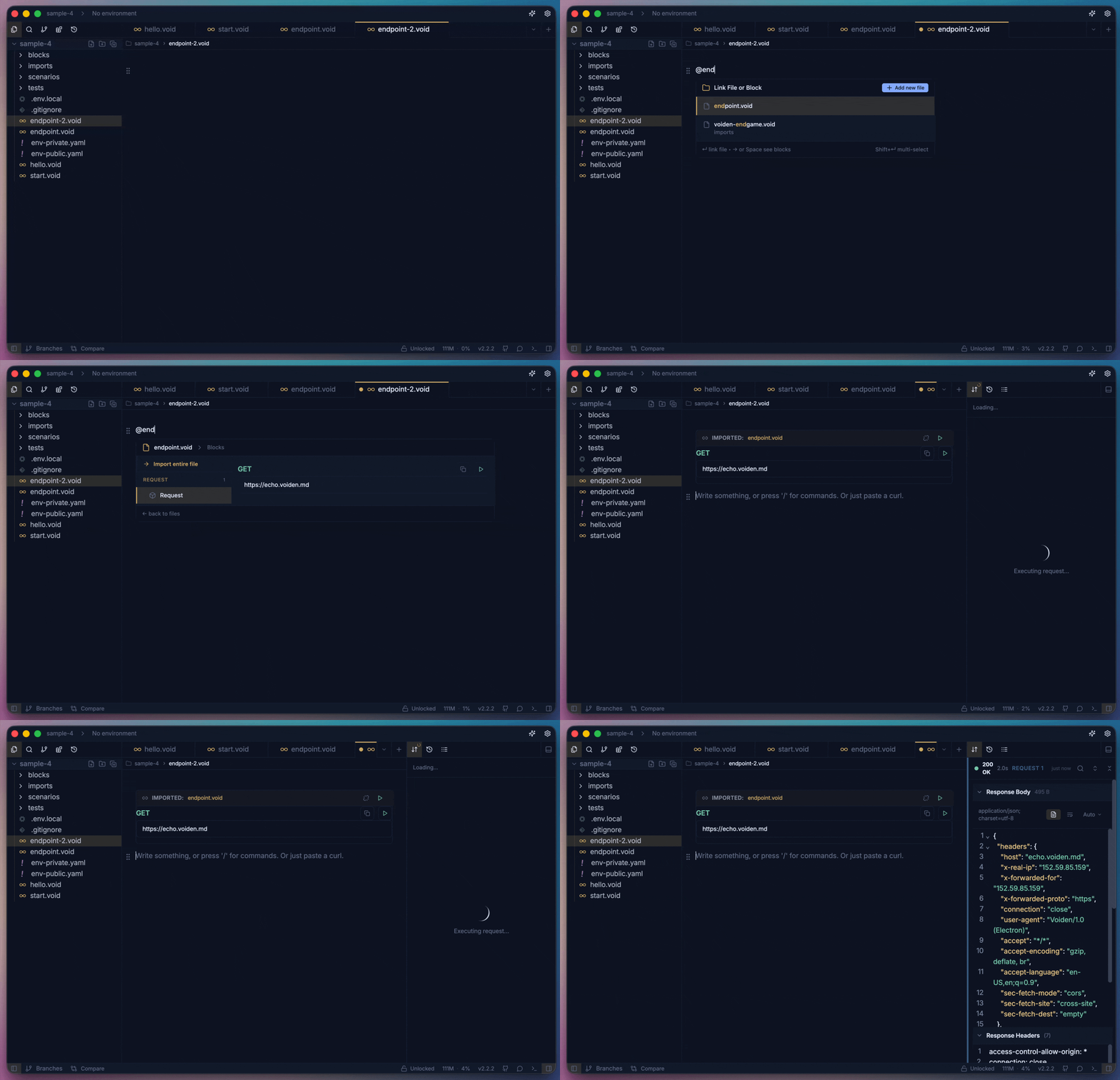
- Done! Your block is imported. Yes, that was simple, right?
Why You’ll Love Them
- Save time & energy – Write once, use everywhere. Your future self will thank you.
- Stay consistent – No more “Why does this header look different here?” moments.
- Easy updates – Change a block once → it updates everywhere. Magic? Almost.
- Cleaner docs – Everything looks neat, organized, and professional.
Final Note
Reusable Blocks are here to make your API documentation process smoother and lighter.
They save your time, reduce copy-paste mistakes, and honestly, they make you look super organized — even on days when you are not.