GraphQL Query
GraphQL queries in Voiden make fetching data feel simple and intentional. You tell the API exactly what you need, and Voiden helps you send that request and clearly understand the response—without extra noise or confusion.
Voiden gives you a calm, friendly space to write and test your queries, so you can focus on the data you care about instead of managing endpoints or cleaning up responses.
Try It Out
-
In your Voiden file, type
/gqlqueryand press Enter to create a GraphQL Query.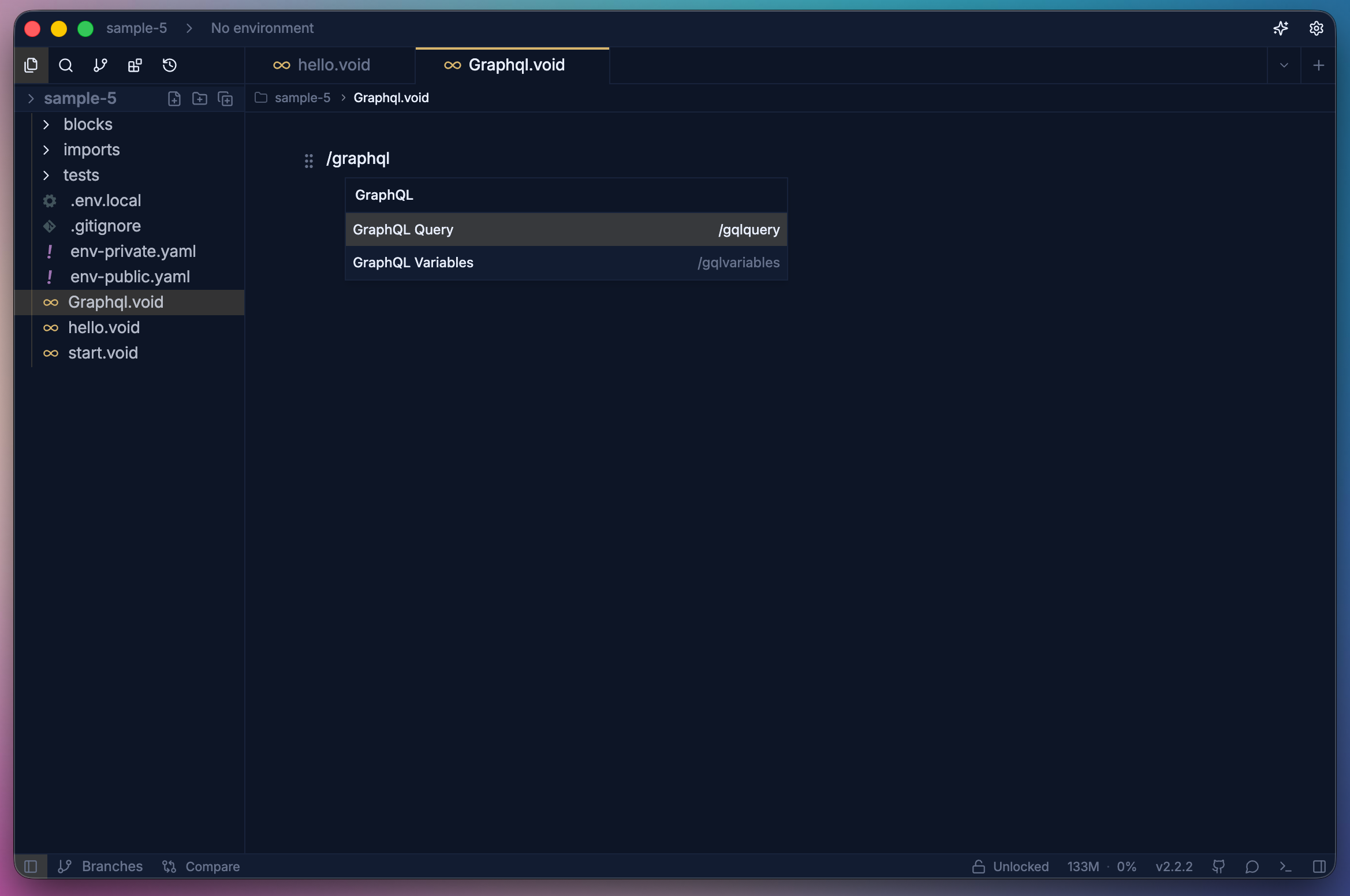
-
Two Ways to Run a GraphQL Query in Voiden
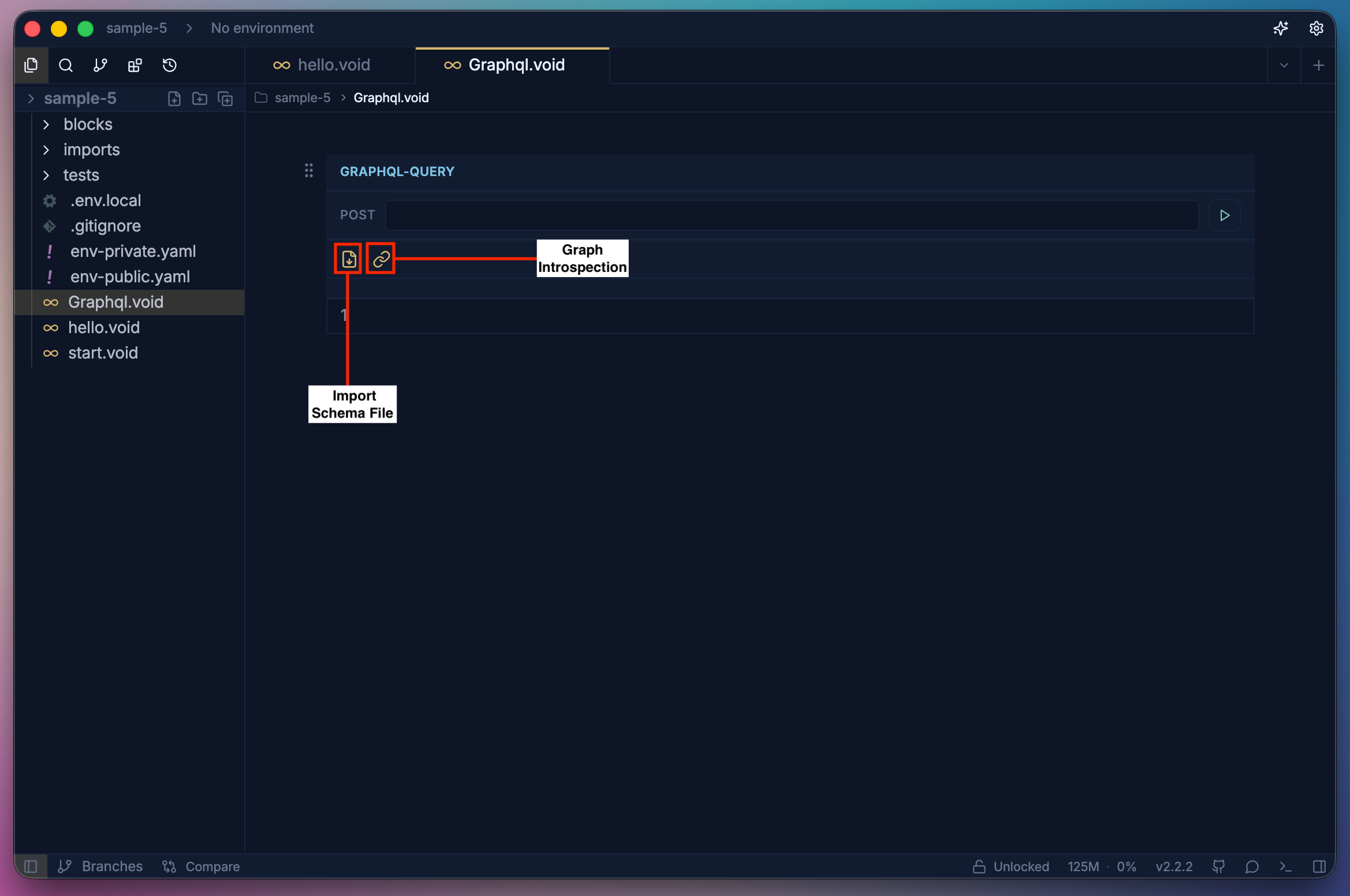
You can work with GraphQL queries in two flexible ways. Both options allow Voiden to understand your types, queries, mutations, and subscriptions, so you can focus on writing and testing queries with confidence.
-
Importing a GraphQL Schema File
You can import a GraphQL schema file such as
.graphqlor.gqldirectly into Voiden. When you do this:- Voiden reads all types, queries, mutations, and subscriptions from the schema
- The schema becomes available locally and works well in offline scenarios
- You get a stable, version-controlled setup that aligns nicely with Git workflows
This approach is ideal when you already have the schema file and want full control over it.
-
Using GraphQL Introspection
Alternatively, you can provide a GraphQL endpoint URL to Voiden. In this case:
- Voiden makes an introspection query to the GraphQL server
- The server returns all available types, queries, mutations, and subscriptions
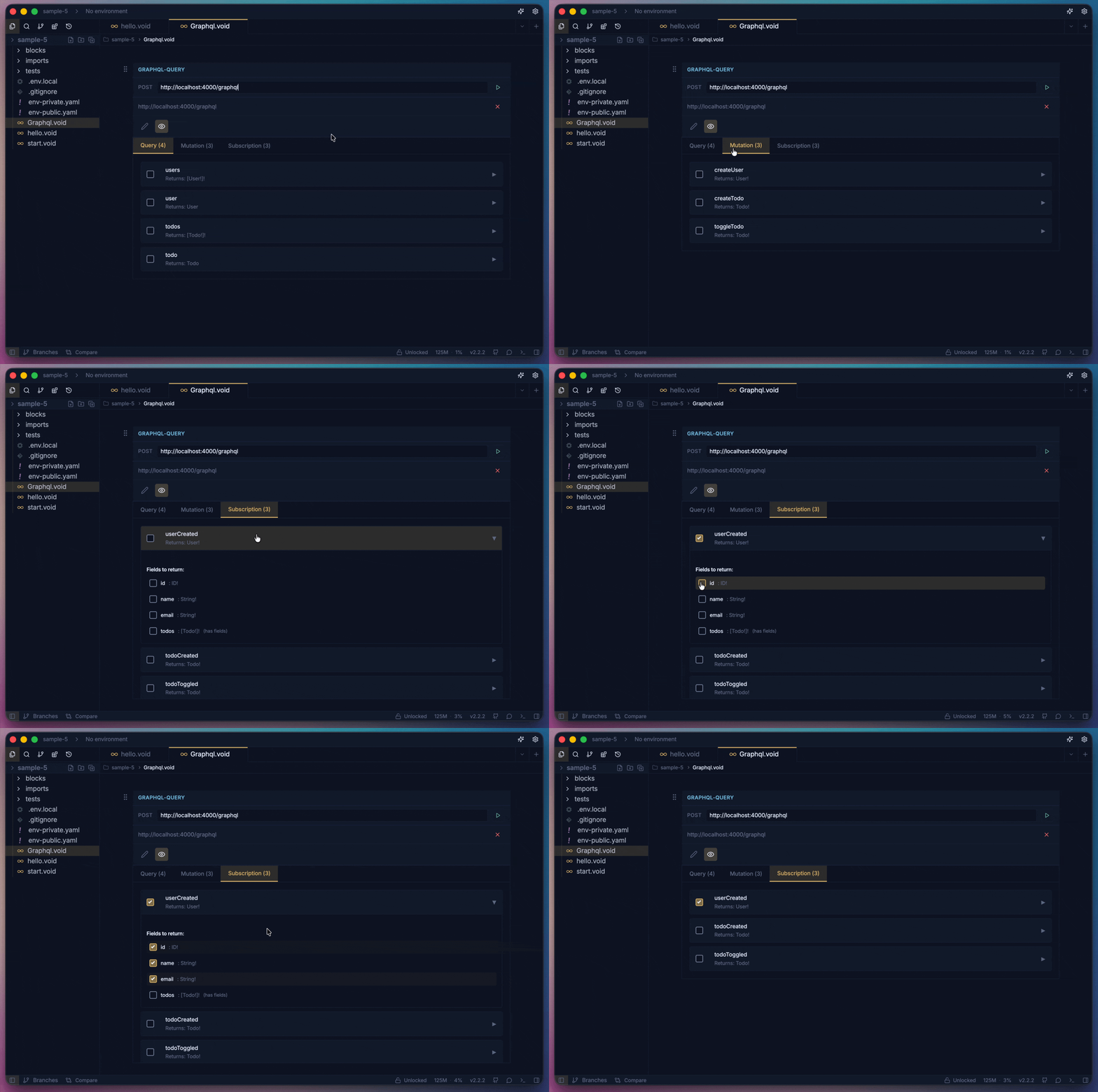
- Voiden automatically loads this information so you can start querying immediately
This option is perfect for quickly exploring a live GraphQL API or when the schema file is not available locally.
-
Passing Arguments with Variables
After generating a query—either by selecting fields from the schema or by typing it manually—if your query requires arguments, make sure to define them using the GraphQL Variables block .
This keeps your queries clean and reusable:
- The Query block defines the structure of the request
- The Variables block provides the dynamic values
Together, they make working with GraphQL in Voiden clear, flexible, and easy to manage.
-
Run the request using Cmd + Enter (Mac) or Ctrl + Enter (Windows/Linux), or click the green Play button in the toolbar.
Summary
Voiden makes working with GraphQL queries simple and flexible by letting you create queries quickly, load schemas via files or introspection, and pass dynamic arguments using variables. With a clear query flow and visual feedback, you can write, run, and understand GraphQL requests with confidence.