Advanced Environment
Voiden supports a YAML-based Advanced Environment Configuration system — a dedicated way to manage environment values across profiles, with a clear separation between what's shareable and what stays local.
Setting Your Environment
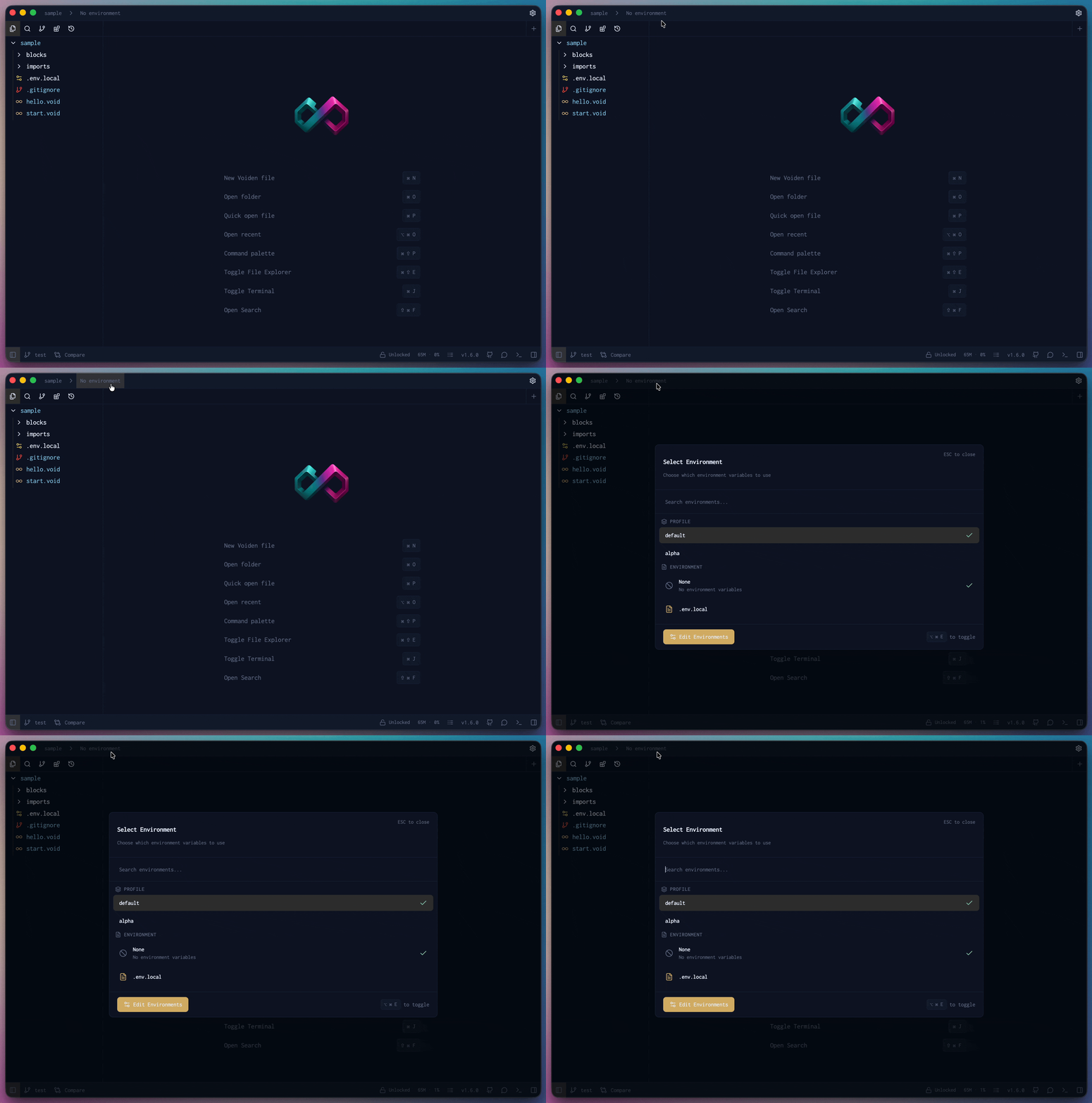
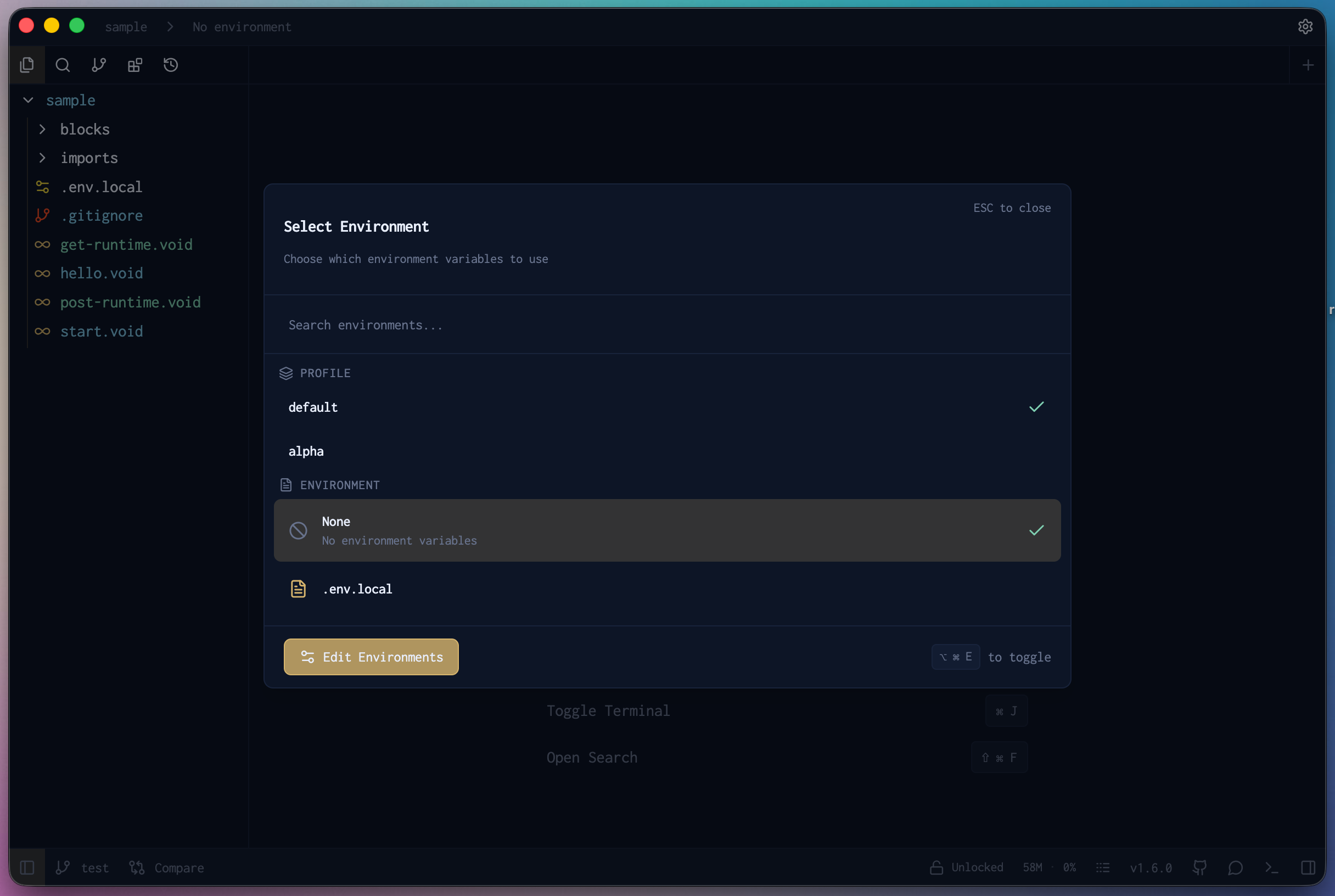
The environment selector lives in the top navigation bar, right next to the recent project selector. Click it and a card pops up where you can pick the profile and environment you want to work in.
You'll see all your created profiles and their environments listed on the card — just click the one you need and Voiden switches over instantly.
At the bottom of the card you'll also find an Edit Environment option. Hit that to open up a full view of all your environments and runtime variables in one place — handy when you want to review, tweak, or manage everything without leaving your workflow.
You can also open the environment panel with a keyboard shortcut:
- macOS
- Windows
| Action | Shortcut |
|---|---|
| Open Environment Panel | ⌘ Cmd + ⌥ Option + E |
| Action | Shortcut |
|---|---|
| Open Environment Panel | Alt + Ctrl + E |
Setting Up YAML Configuration
Once the environment panel is open:
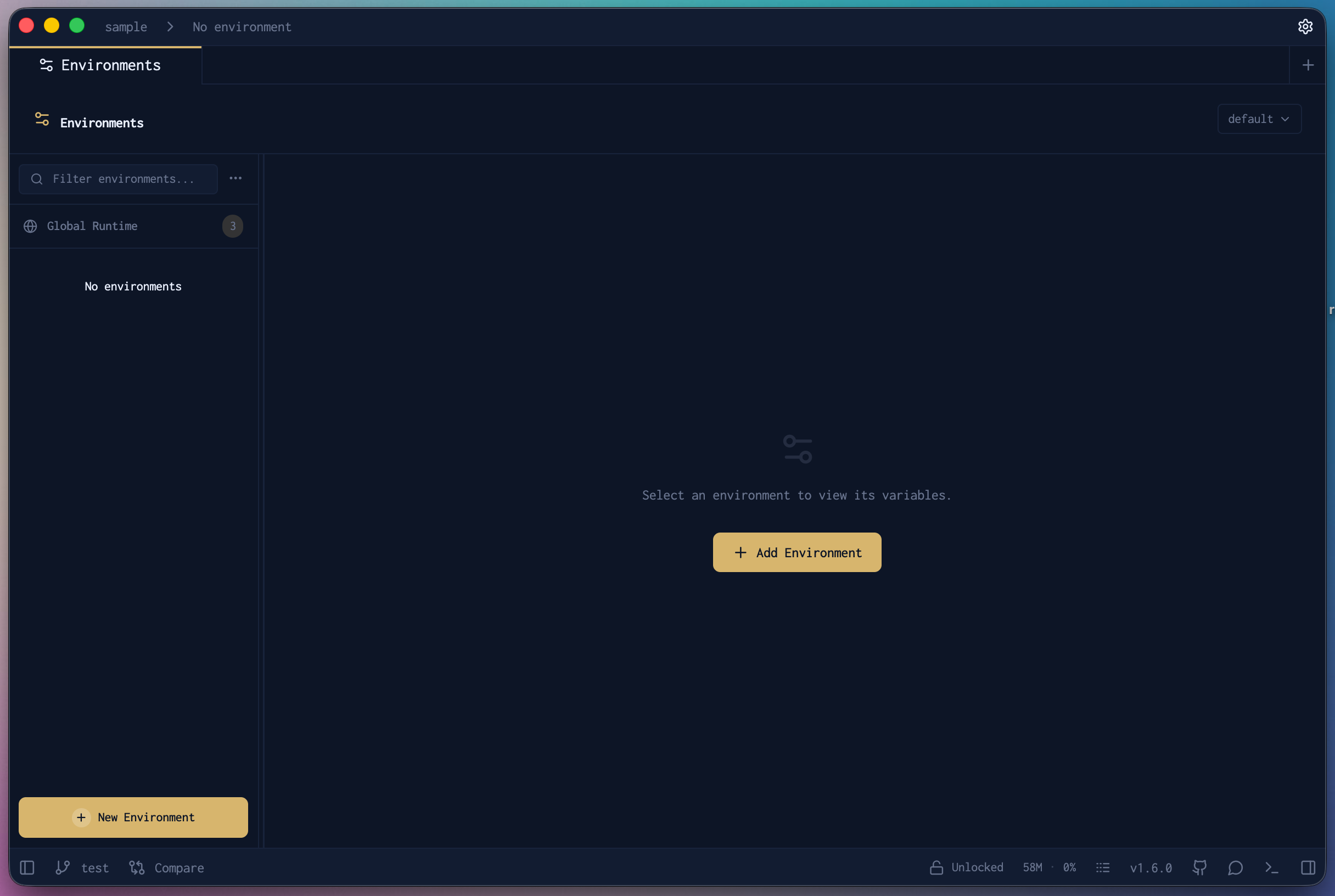
1. At the bottom of the panel, click Edit Environment and Profile in the footer.
2. A new tab will open — this is the YAML environment editor where you can add your public and private values and manage profiles.
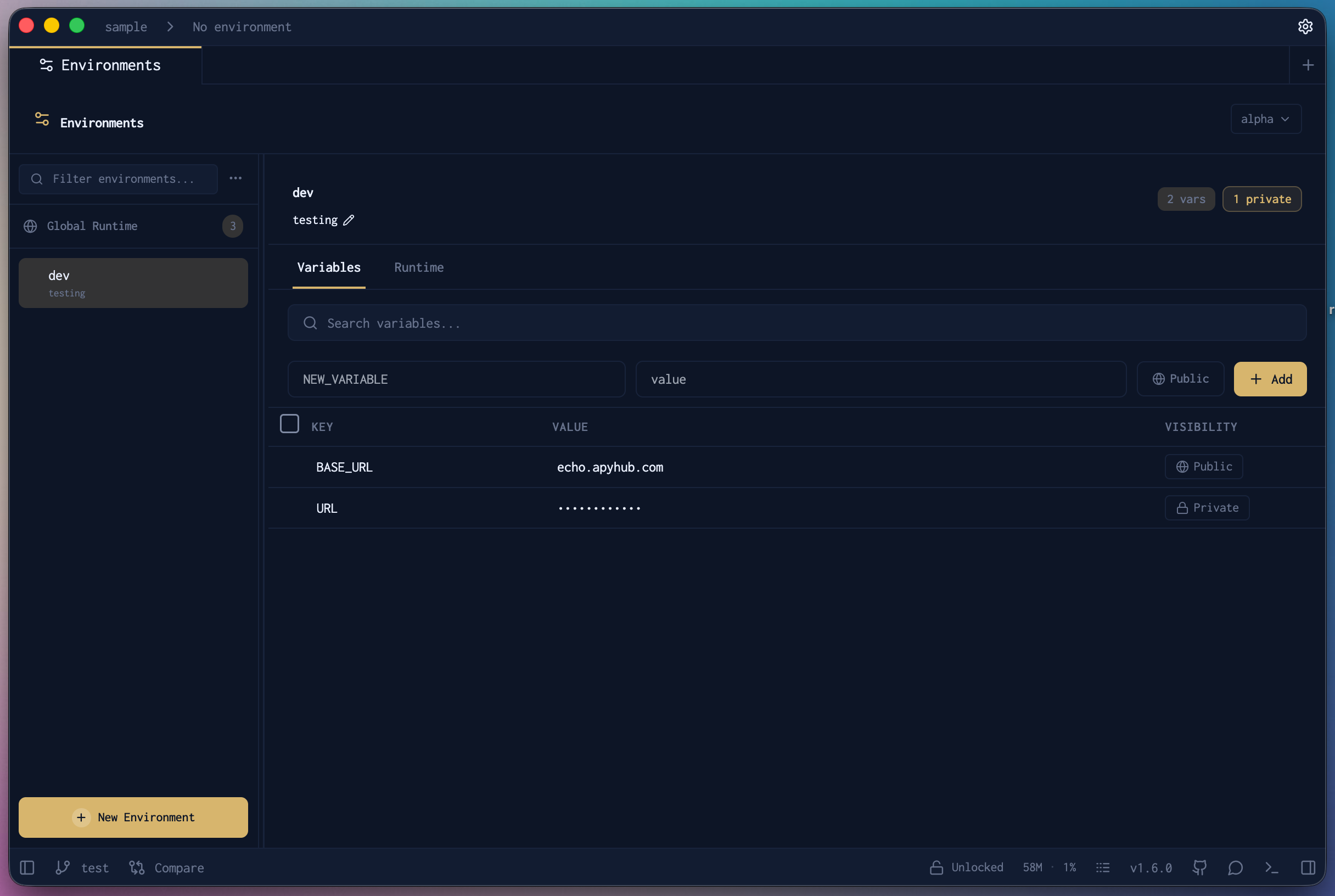
Here's an example of what a shared public YAML looks like inside the editor:
- env-public.yaml
- env-private.yaml
thor:
  variables:
    description: "God of Thunder"
  children:
    production:
      variables:
        BASE_URL: "thor.com"
    test:
      children:
        staging:
          variables:
            BASE_URL: "staging.thor.com"
        local:
          variables:
            BASE_URL: "localhost:8080"
odin:
  variables:
    description: "The Allfather"
  children:
    production:
      variables:
        BASE_URL: "odin.com"
    test:
      children:
        staging:
          variables:
            BASE_URL: "staging.odin.com"
        local:
          variables:
            BASE_URL: "localhost:8080"
thor:
  children:
    test:
      variables:
        PASSWORD: "hunter2"
Every variable in the environment panel shows a preview of its resolved value. Hover over any variable to reveal a copy button — click it to copy the value directly to your clipboard.
⌘ Cmd + Click on any environment variable to jump directly to its definition in the YAML file. Works for both env-public.yaml and env-private.yaml.
Default Configuration
When no profile is active, Voiden looks for files in this order:
| Priority | File | Purpose |
|---|---|---|
| 1 | env-public.yaml | Shared, non-sensitive values |
| 2 | env-private.yaml | Sensitive, local-only values |
| 3 | .env | Legacy fallback if no YAML files are found |
If neither YAML file is present, Voiden falls back to .env automatically — so existing projects work out of the box with no migration required.
Profiles
Voiden lets you create different profiles to organise your environments however makes sense for your workflow. Think of a profile as a named collection — you can set one up for a specific project, a team, or a context like personal vs work.
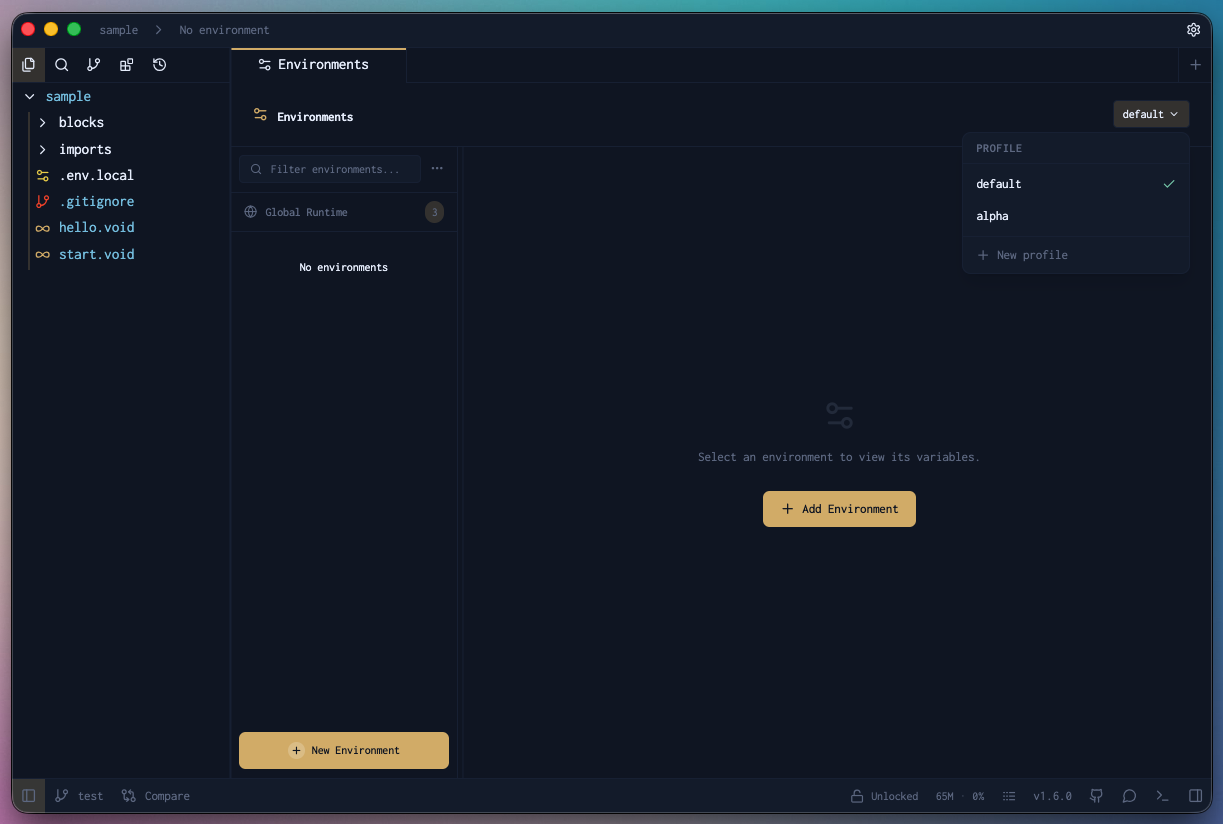
Switching Profiles
Open the environment panel and select your desired profile from the dropdown. The selector lists every node in the hierarchy using dot notation, so you can target any level precisely:
thor
thor.production
thor.test
thor.test.staging
thor.test.local
odin
odin.production
odin.test
odin.test.staging
odin.test.local
Selecting a parent node (e.g. thor.test) applies all variables defined at that level. Selecting a child (e.g. thor.test.staging) applies its own variables on top, overriding any conflicts from the parent.
Managing Your Environments
All your environments live in the left panel, so they're always within reach. No digging through menus — just glance left and everything is right there.
Display Name
You can give each environment a display name to make it easy to tell apart at a glance. Instead of seeing a plain file name, you'll see whatever friendly name you set. Great when you have multiple environments and want to keep things clear.
Public or Private
Every environment can be set to either public or private, giving you control over who can see it.
- Public — the environment is visible to everyone who has access to the project. Good for shared configs like staging or production that the whole team needs.
- Private — the environment is only visible to you. Perfect for personal credentials, local overrides, or anything you'd rather keep to yourself.
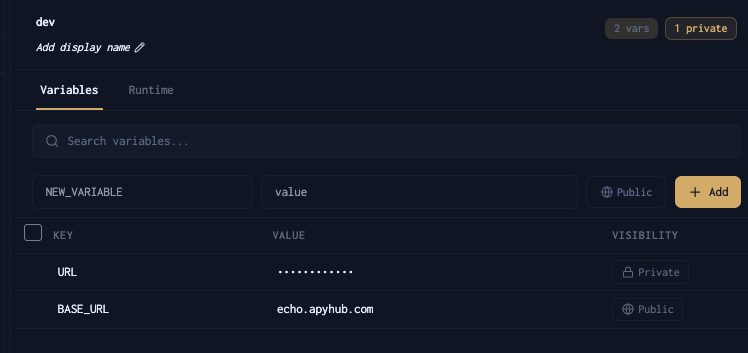
Just set the visibility when creating or editing an environment and Voiden handles the rest.
Child Environments
Voiden supports child environments, so you can build on top of an existing environment without starting from scratch.
To create one, find the + icon next to any parent environment in the left panel and click it. A new child environment gets created under that parent, inheriting its context while giving you a separate space to work in.
Where Environment Files Live
All your environment YAML files are tucked away inside a hidden .voiden/ folder at the root of your project. Nice and out of the way — you'll never accidentally bump into them while working on your actual files.
Git Takes Care of Itself
Voiden automatically manages your .gitignore so you never have to worry about accidentally committing something you shouldn't.
- Private environments get added to
.gitignoreon their own. They stay on your machine, full stop. - Public environments are left out of
.gitignoreso your team can commit and share them without any extra steps.
Voiden patches the .gitignore automatically in three situations:
- When you create a new environment profile
- When you save changes to an environment
- When a new
.gitignoreshows up at the project root
Set it up once and forget about it — Voiden keeps everything in the right place.
What to Commit
| File | Commit to Git? |
|---|---|
env-public.yaml | Yes |
env-private.yaml | No — managed automatically by Voiden |
env-{profile}-public.yaml | Yes |
env-{profile}-private.yaml | No — managed automatically by Voiden |
Summary
Once you get the hang of advanced environment configuration, managing environments across projects becomes effortless. Pick your environment from the card in the top nav, switch profiles in seconds, and organise everything from the left panel. Need a variation of an existing environment? Create a child and build on top of it. Want to share it with the team? Make it public. Want to keep it to yourself? Set it to private and Voiden makes sure it never leaves your machine — automatically patching .gitignore so nothing sensitive ever slips into version control. Set it up once and forget about it.