Multiple Requests
Voiden lets you add multiple requests directly in your .void file, no switching between tabs, no juggling separate files. Just stack your requests one after another and run them all at once.
How It Works
- Type
/new-requestin your Voiden file and press Enter. A fresh request block appears, ready to go.
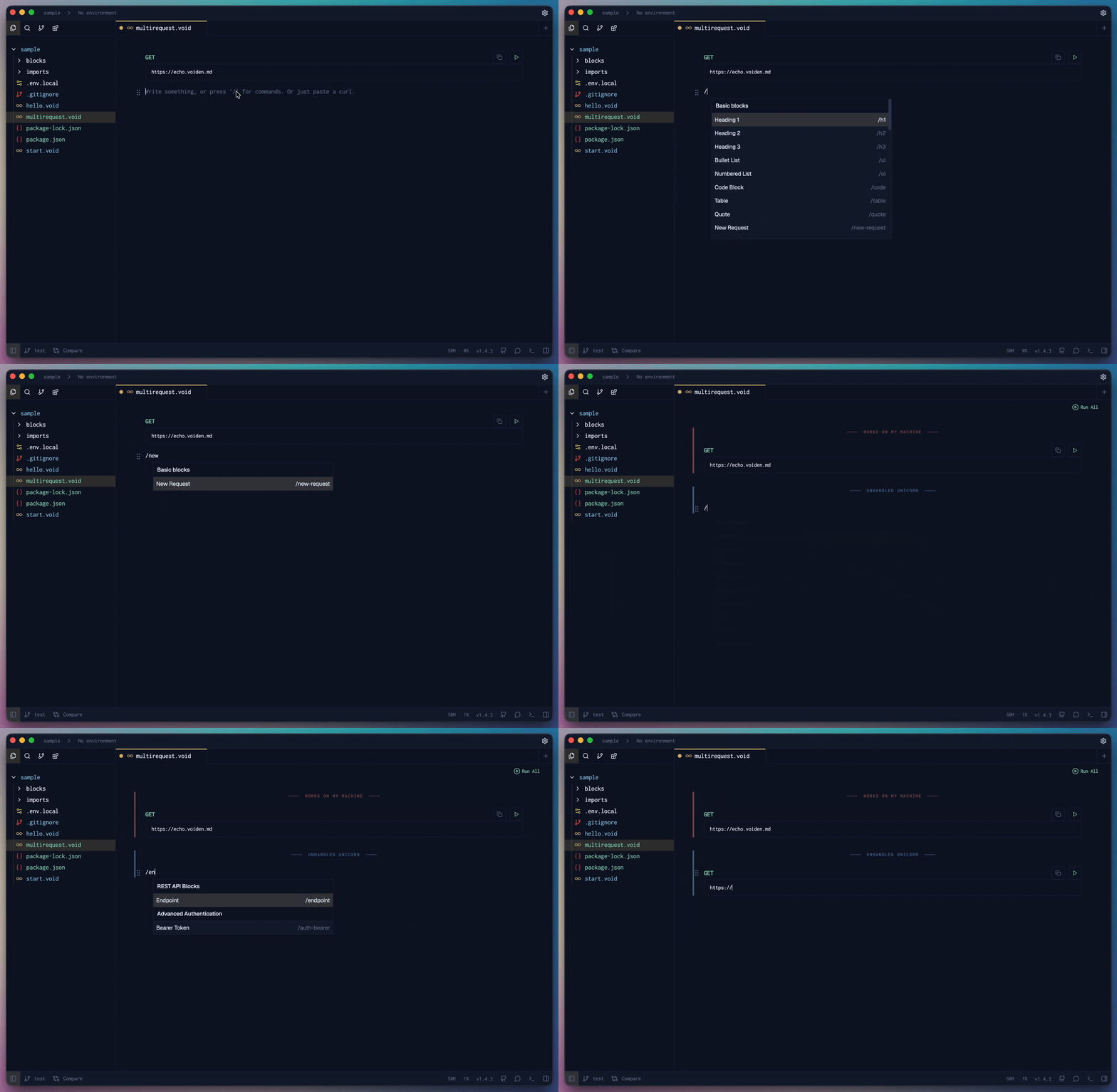
- Keep adding requests right below each other, one after another, all in the same file.
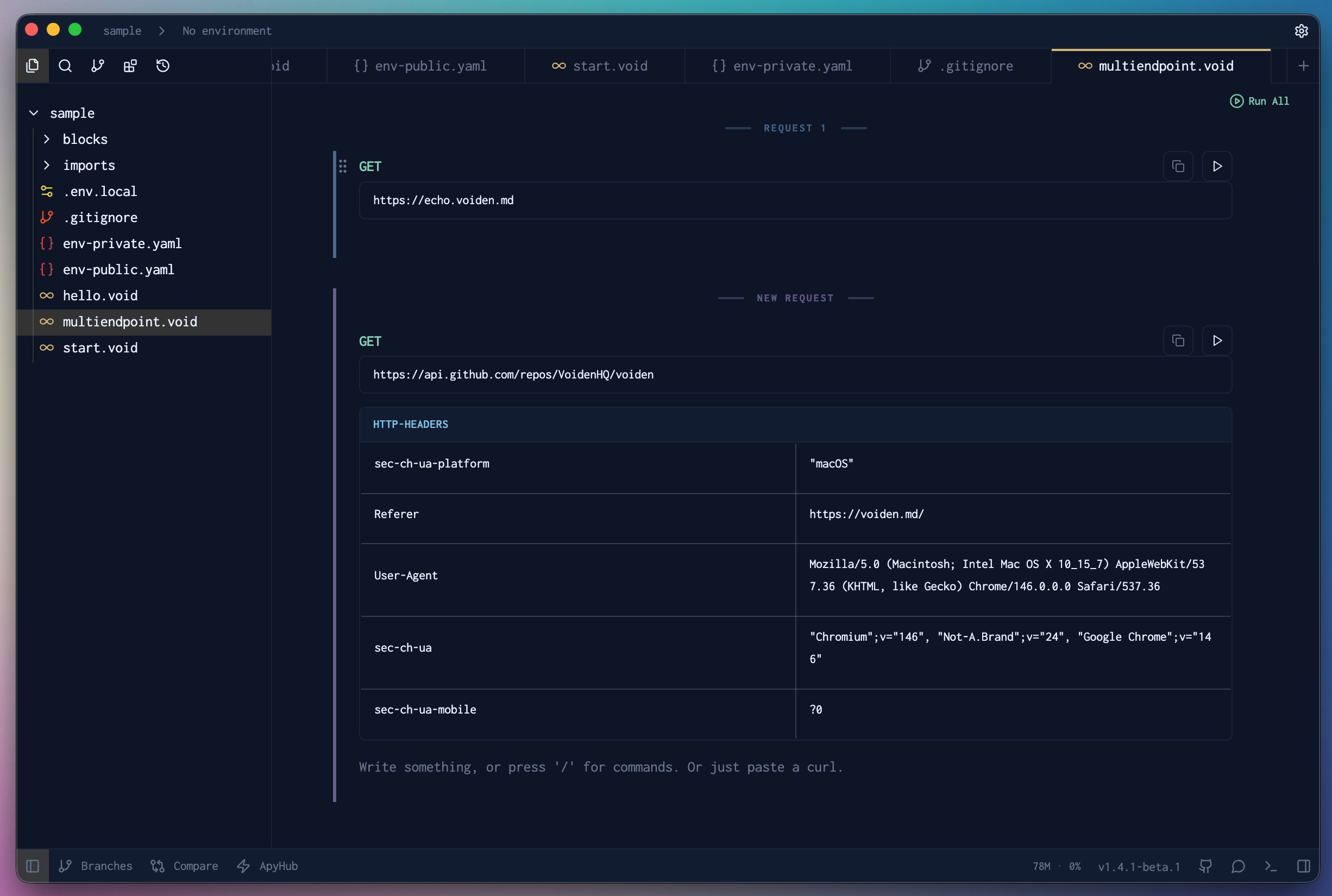
- When you're ready, hit the Run All button and watch all your requests fire one by one.
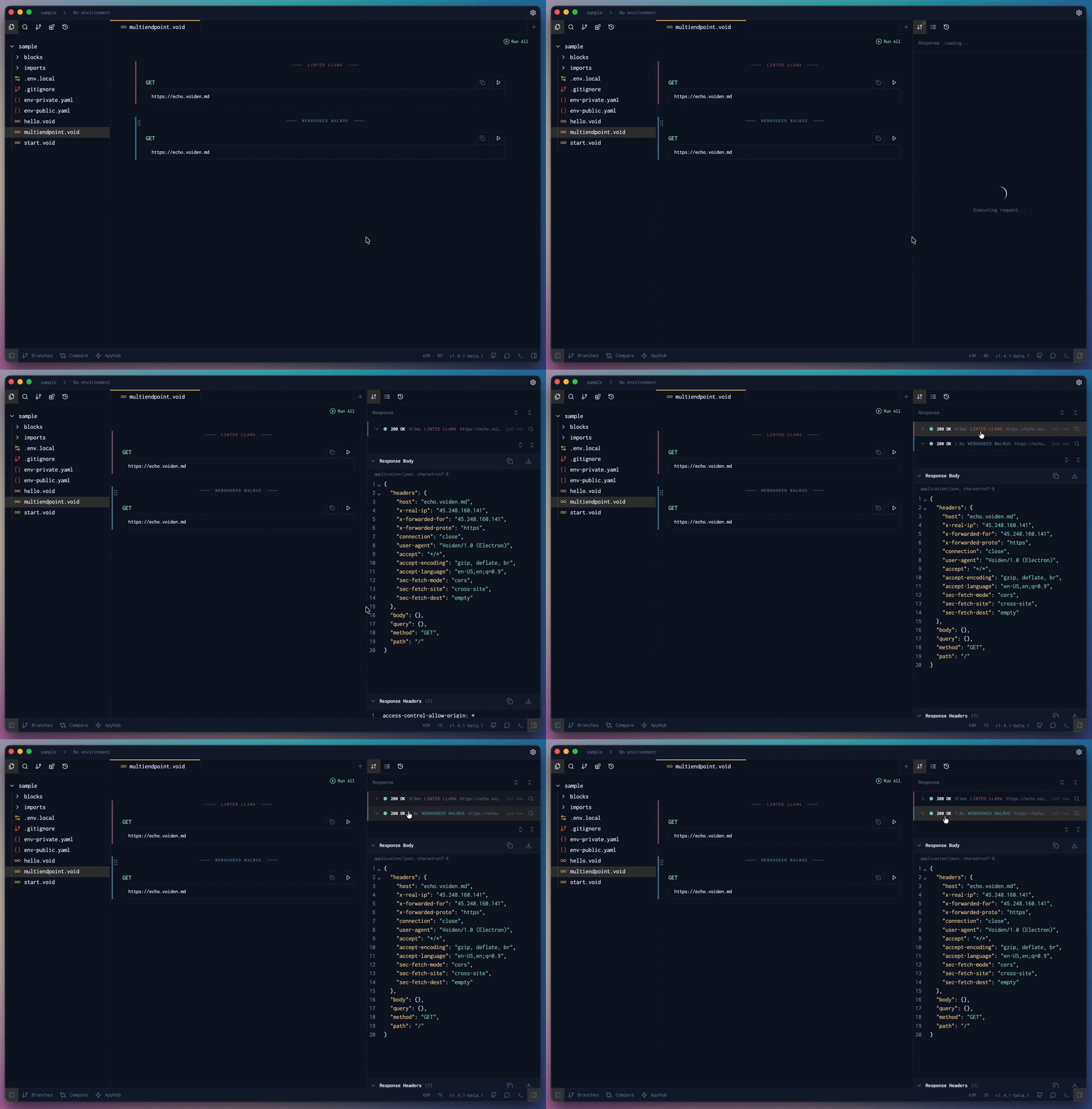
- Voiden runs each request in order and shows you the responses as they come in, so you always know exactly what returned and from where.
Running Requests
You are in control of what runs and when.
- Run a single request: place your cursor inside the request section you want to execute, then press Cmd + Enter (Mac) or Ctrl + Enter (Windows/Linux). Voiden runs only that request and shows its response.
- Run all requests: press Cmd + Shift + Enter (Mac) or Ctrl + Shift + Enter (Windows/Linux) to run every request in the file in sequence, one after another.
To run a single request, make sure your cursor is placed inside that request's section before pressing the shortcut.
Request Labels
Each request in your file gets a unique color indicator and a label, both assigned automatically by Voiden, so everything is visually distinct from the moment you add it. The label gives each request a recognizable name, and the color carries through to the response panel, so you can instantly match every response back to the request that triggered it. No guessing, no counting rows.
Not a fan of the auto-generated label? You can rename it too. Just double-click the label to edit it and give it something that makes sense for your workflow.
This makes it especially easy to scan results when you have several requests running in sequence, each response clearly labeled and tied to its source at a glance.
Why It's Useful
- Test a full API flow from top to bottom in a single file.
- Review each response as it comes in, without triggering requests manually one at a time.
- Keep related requests together in one place, clean, readable, and easy to share.
Summary
Multiple Requests is the fastest way to test a full API flow in one place. Stack your requests, run one or all of them, and follow each response back to its source through color and label. No jumping between files, no losing track of what came from where.