Hierarchical Inheritance
Just imported a Postman collection with 200 requests and realized every single one needs the same auth header? Nobody has time to copy-paste that 200 times. Hierarchical Inheritance lets you set shared configuration once and have it trickle down through your folders on its own — set it, forget it, and let Voiden do the repetitive part.
What is Hierarchical Inheritance?
Think of it like a family tree for your configuration. Set authentication, headers, or variables at any folder level in your workspace, and every request tucked underneath inherits it automatically — no manual wiring required. Need one request to march to its own beat? Override it locally and it'll happily ignore what its "parent" folder says.
It's a small trick that saves a lot of grief once your collection grows past a handful of requests — which, if you've ever imported a Postman collection, happens fast.
Setting It Up
No need to hunt through menus for this one — it all starts with a simple right-click.
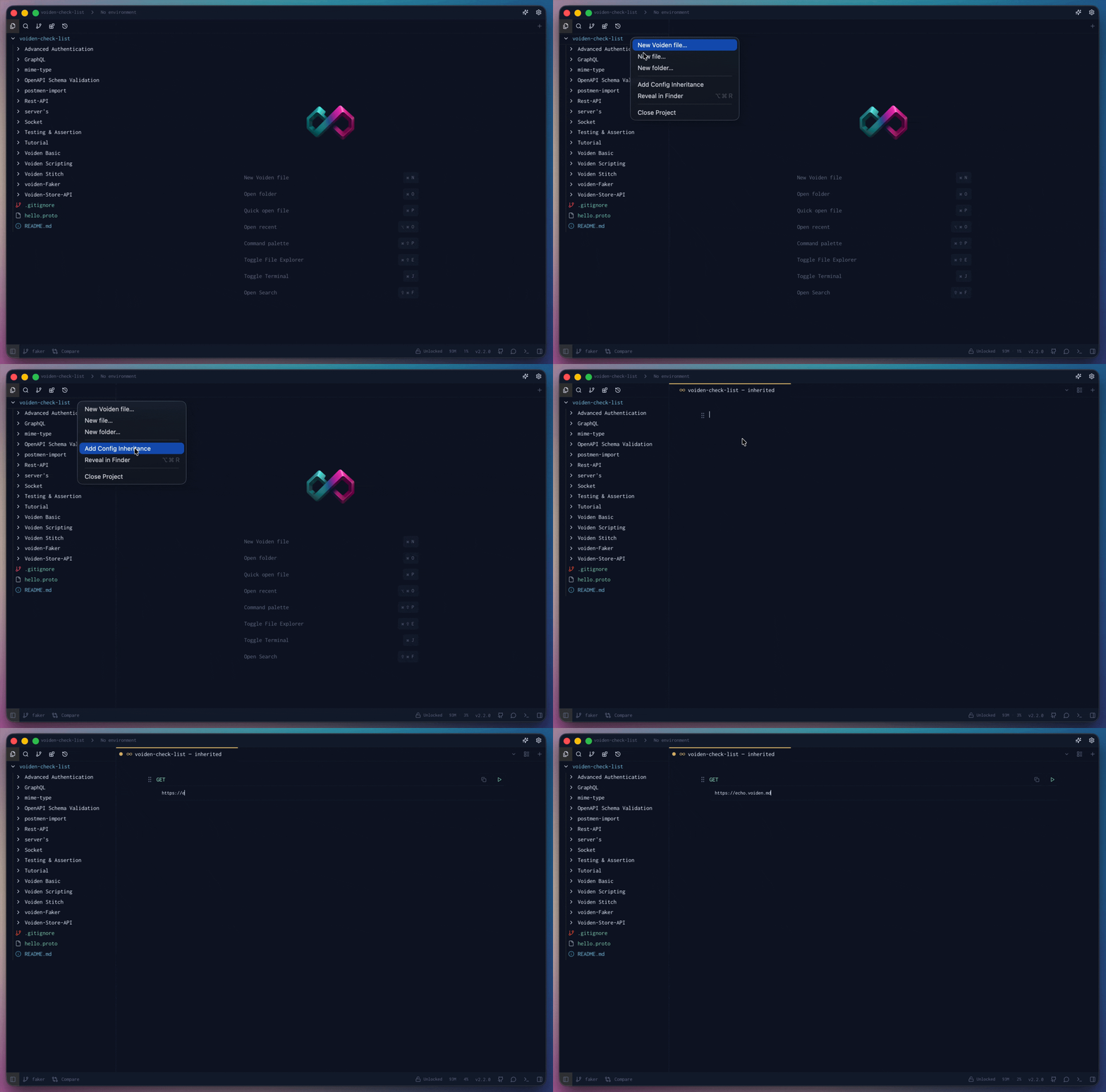
- Right-click your project in the left panel and pick Add Config Inheritance from the menu.
- Voiden creates the
.voiden-inheritedfile and opens it right up for you — no extra clicks needed. - Add whatever you want every request underneath to share: headers, auth, variables, you name it.
Running It
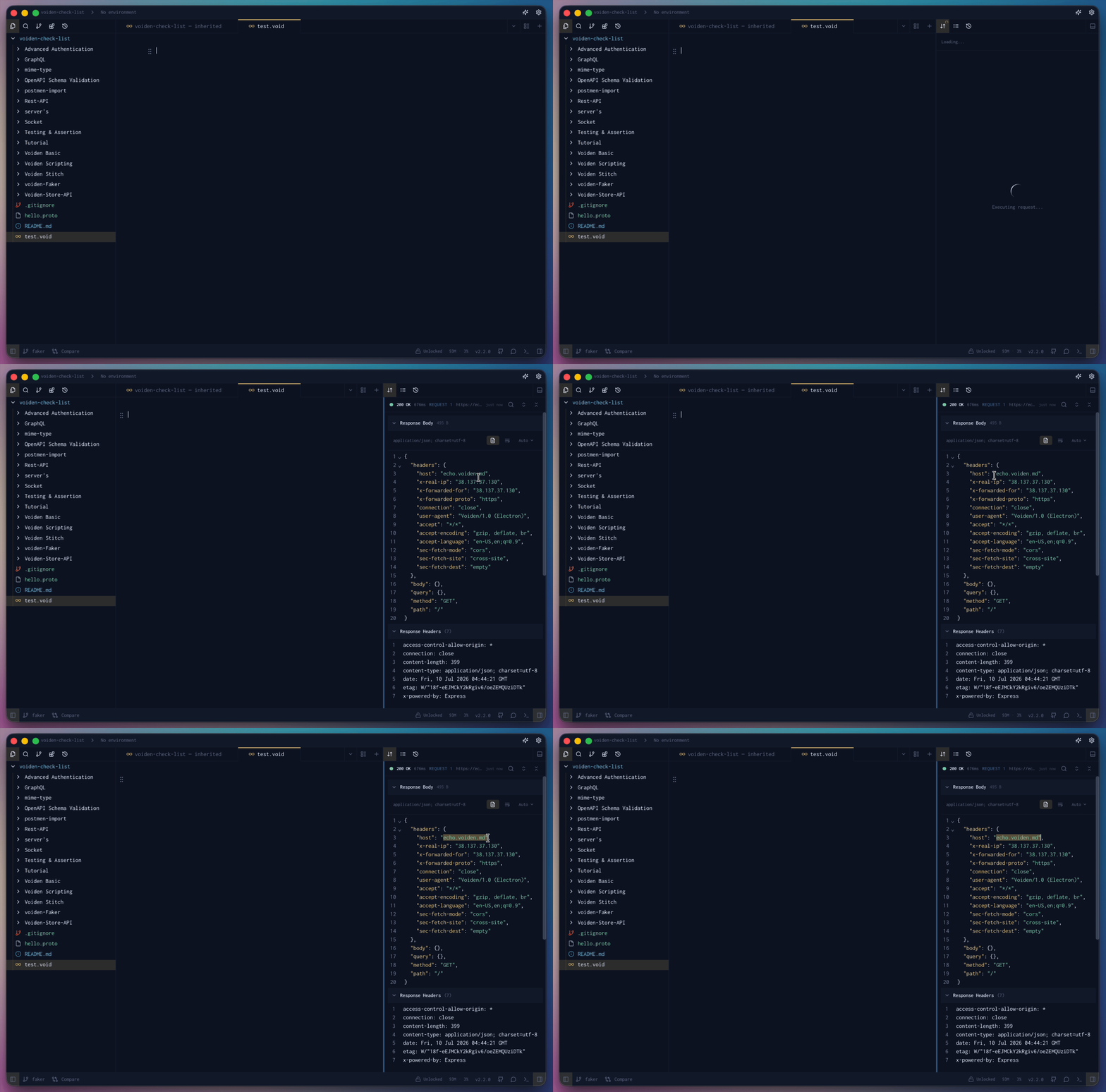
You don't need to do anything special to put it to work. The next time you fire off a request with Cmd + Enter (or Ctrl + Enter on Windows/Linux), Voiden runs the inheritance file behind the scenes and folds its values in automatically.
Editing It Later
Need to tweak something down the line? Right-click your project again and look for Edit Config Inheritance File — it opens the same file right back up so you can update it whenever you need.
The .voiden-inherited File
Configuration lives in a special .voiden-inherited file, and you can drop one at any folder level — workspace root, a parent folder, or a child folder. Think of it as a note left for every request downstream: "here's what you inherit, unless you say otherwise."
workspace/
├── .voiden-inherited
├── api/
│   ├── .voiden-inherited
│   ├── users/
│   │   ├── get-user.void
Here, get-user.void picks up settings from the workspace-level file first, then merges in anything set at the api/ level.
Resolution Order
When Voiden resolves a request's configuration, it walks down the folder tree and lets the closest setting win — the same "the most specific rule wins" logic you'd expect from CSS or .gitignore:
- Workspace-level
.voiden-inherited - Parent folder
.voiden-inherited - Child folder
.voiden-inherited - The request itself (
.voidfile)
In practice: a value set directly in a .void file always wins, followed by its immediate folder, then that folder's parent, and so on up to the workspace root. No guessing, no surprises — just a predictable chain of "closest wins."
Why It Matters
- Less repetition — set common config once instead of pasting it into every request
- Easier Postman migrations — large imported collections don't need manual cleanup to share config
- Centralized management — update auth, variables, or headers in one place and have it apply everywhere underneath
- Scales with your workspace — works just as well for a handful of requests as it does for an enterprise-sized collection
Summary
Hierarchical Inheritance turns repetitive per-request setup into a one-time job. Drop a .voiden-inherited file wherever you need shared configuration, let it cascade down through your folders, and override it only where a request genuinely needs something different. Less duplication, easier maintenance, and collections that scale gracefully instead of buckling under their own copy-paste weight.