Stitch Blocks
Testing APIs one by one is fine — but what if you could run all the requests across your files automatically and get a clear pass/fail report for each one? That's exactly what Stitch Blocks does.
Stitch Blocks is an automation block that lets you select which files to run, configure how the run behaves, and execute everything in one go — no manual triggering, no jumping between files. Just a clean, automated run from start to finish.
Looking for the plugin details? Check out the Voiden Stitch Plugin →
How to Insert
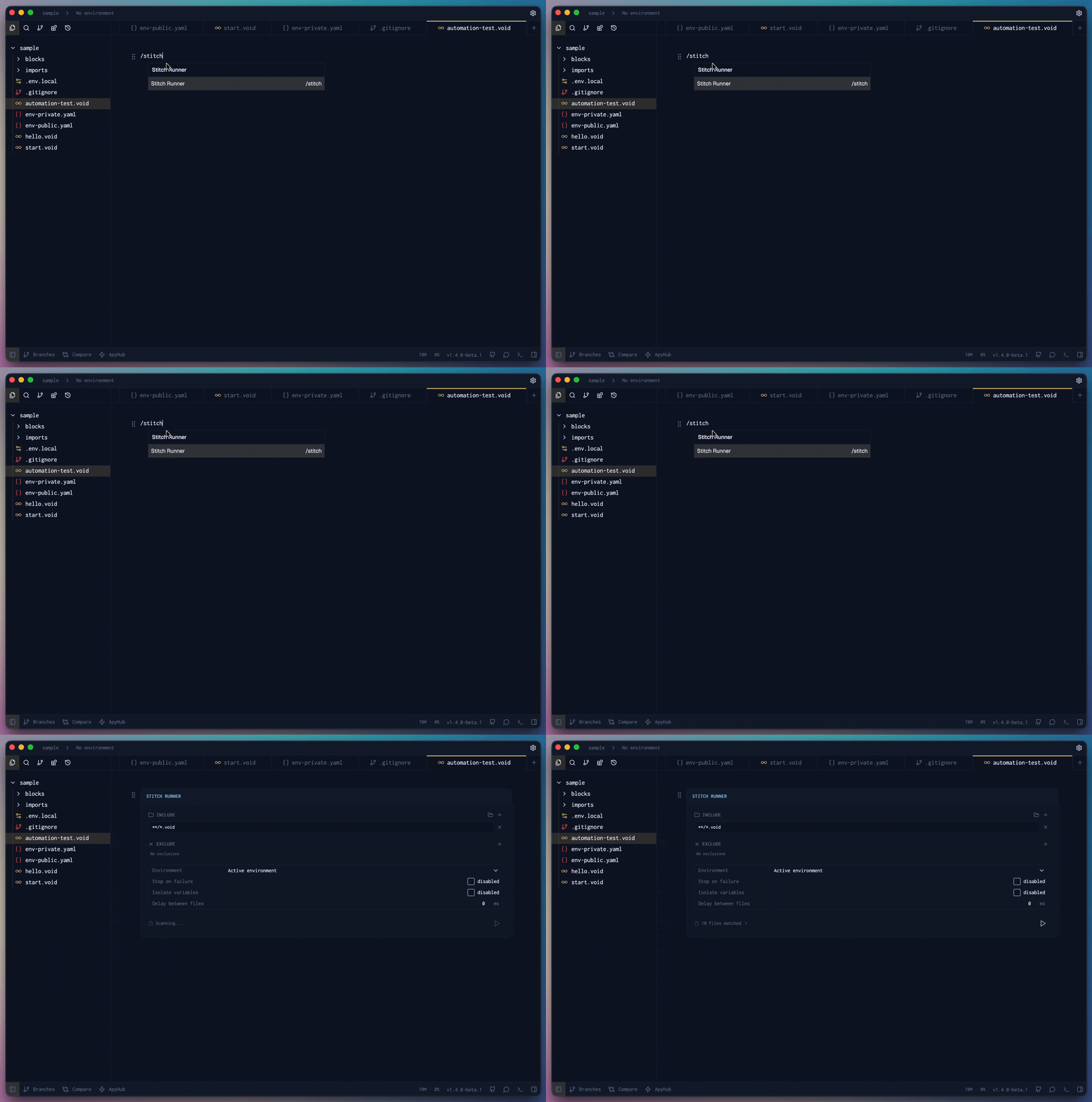
In your Voiden file, type /stitch and press Enter to create a Stitch Runner. The block will appear in your file, ready to configure.
Configuring the Block
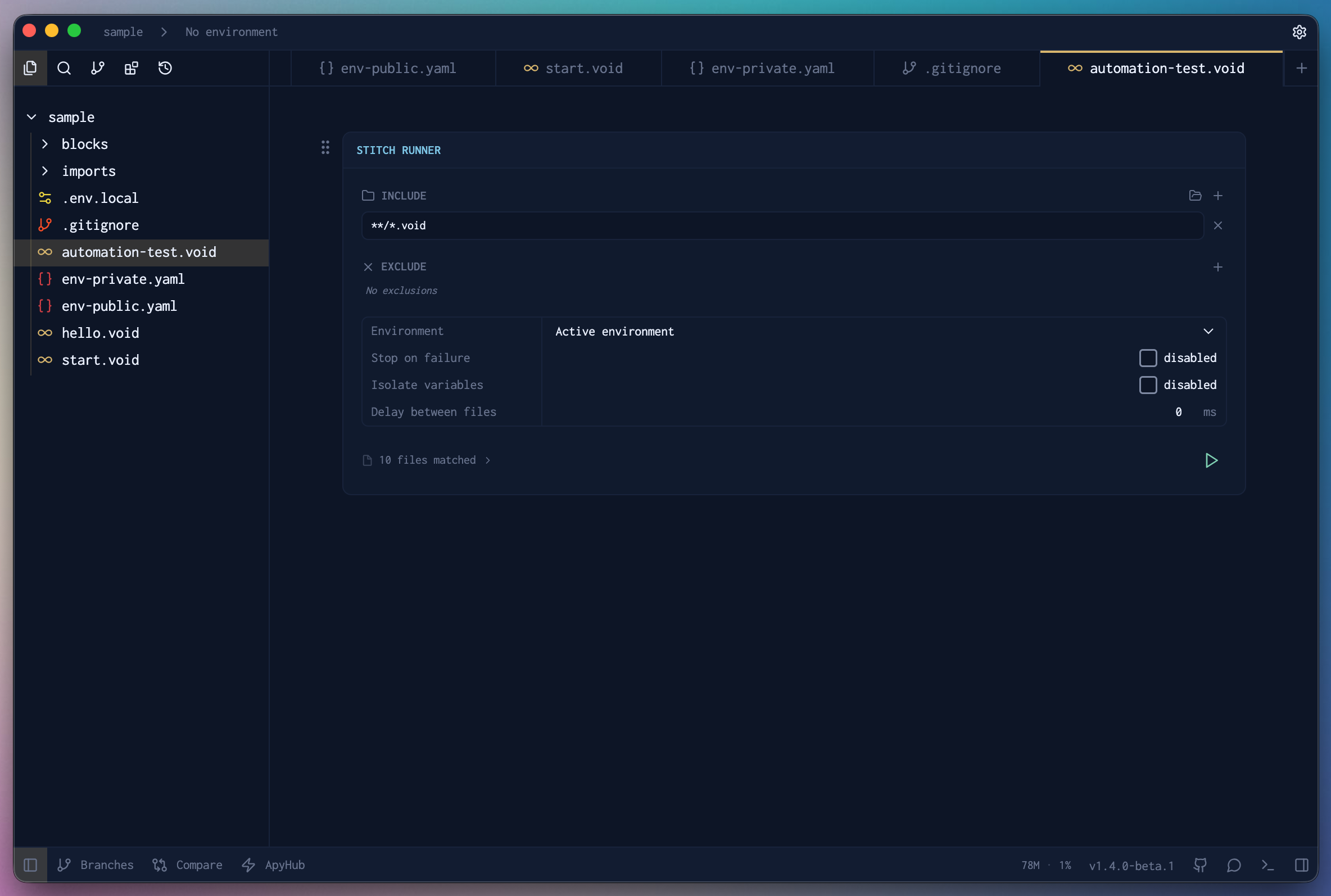
Once the Stitch Block is inserted, you'll see a set of options to control exactly how your run behaves.
Include
Select the folders you want to include in the run. Voiden will pick up all .void files within the selected folders and queue them for execution.
Exclude
Select specific files you want to skip. Any file added here will be left out of the run, even if it sits inside an included folder.
Environment
Set the environment you want to use for the run. This ensures all your requests use the right variables and base URLs for the selected environment.
Stop on Failure
When enabled, the run stops as soon as a request fails — so you can catch issues early without waiting for the entire run to finish. When disabled, Voiden continues running all files regardless of failures.
Isolate Variables
When enabled, each file runs in its own isolated variable scope. Changes made to variables in one file won't carry over to the next. When disabled, variable state is shared across all files in the run.
Delay Between Files
Set a delay between each file execution. This is useful when your APIs have rate limits or when you need a small gap between runs to let things settle.
Sequence / Parallel
A toggle on the Stitch Runner lets you switch between two run modes:
- Sequence — files run one by one, in the order you've arranged them. Use this when later requests depend on variables or state set by earlier ones.
- Parallel — flip the toggle to Parallel and every queued file runs at the same time, all triggered with a single click. This is the fastest way to validate a batch of independent
.voidfiles, since you're not waiting for each one to finish before the next starts.
Since Stop on Failure and Delay Between Files only make sense when files run one after another, they apply only in Sequence mode and are ignored when Parallel is selected.
Review the Files
Before hitting run, you can see the full list of files queued for execution. This gives you a clear picture of exactly what will run, so there are no surprises.
Not happy with the order? You can rearrange the files however you like before kicking off the run — just drag them into the order that makes sense for you. Running auth before your protected endpoints, or smoke tests before the heavy ones, is totally up to you.
Running Your Files
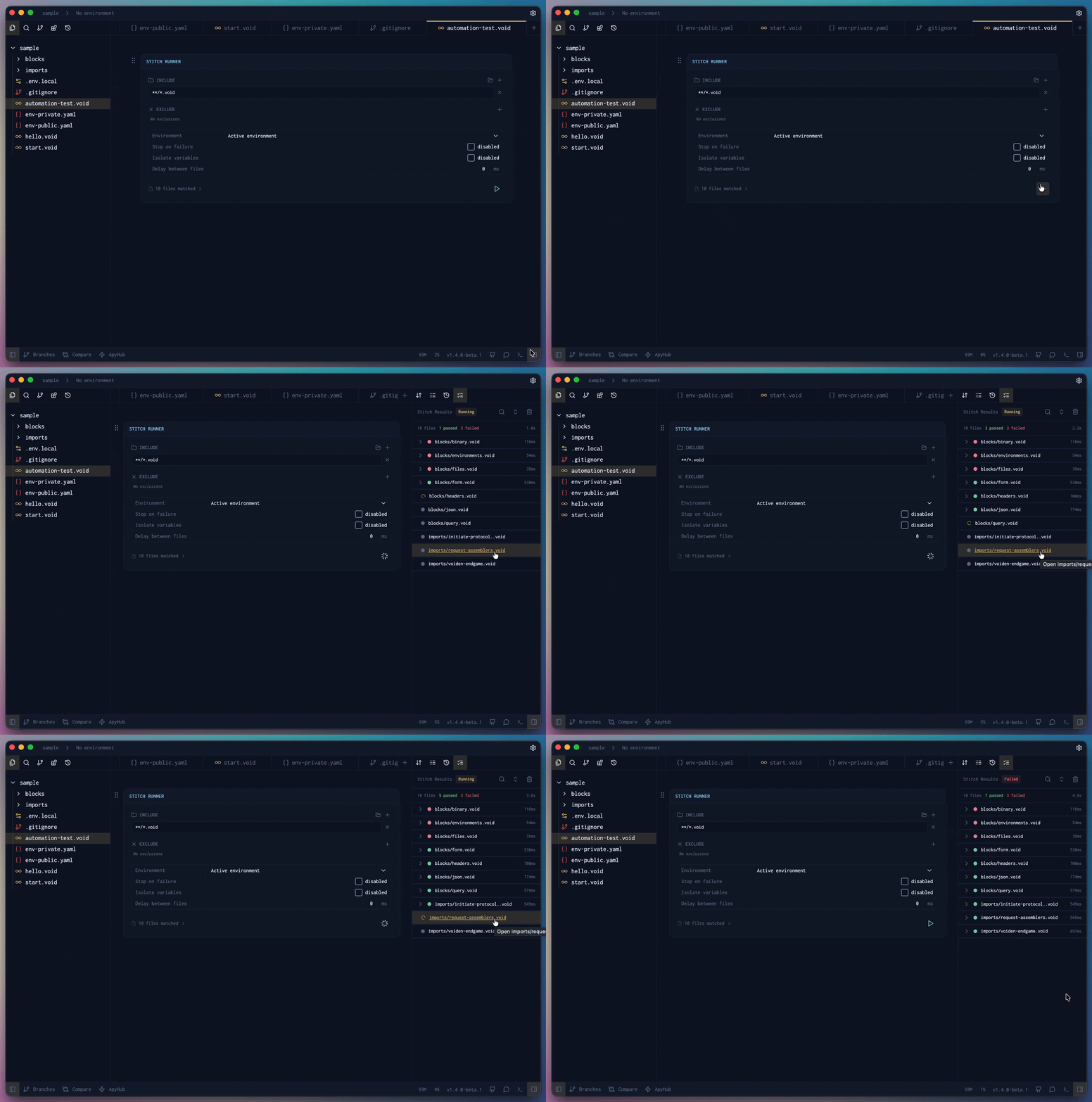
Once everything is configured, hit the Run button to kick off the automated run. Depending on your Run Mode, Voiden will execute each file in sequence one after another, or fire all of them in parallel at the same time. Once complete, you'll see the Stitch Result — a clear pass/fail breakdown for every file that was run, all in one place.
Scenarios
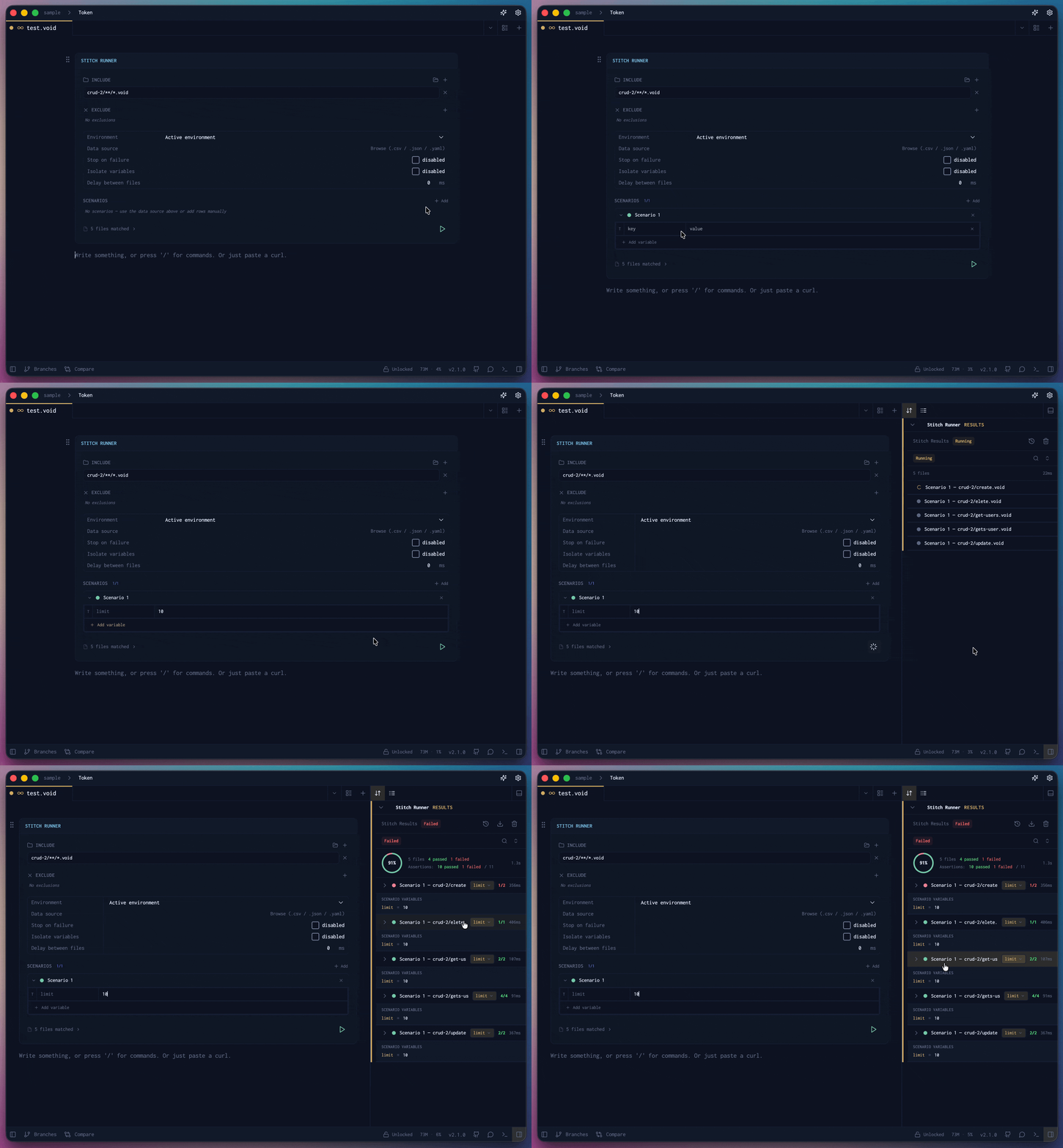
Need to run the same request against different users, environments, or test cases? Scenarios let you do that without touching the request or your environment.
Just define a named set of variable values — either from a CSV, JSON, or YAML file or typed in inline — and Voiden will fire the request once per scenario row. Results are grouped by scenario right in the response panel. Your environment stays exactly as it was once the run is done.
Stitch History
Voiden keeps a history of all your previous Stitch runs right inside the Stitch response panel. Hit the History button in the panel and you'll see all your past runs with their pass/fail results, assertion counts, and timing.
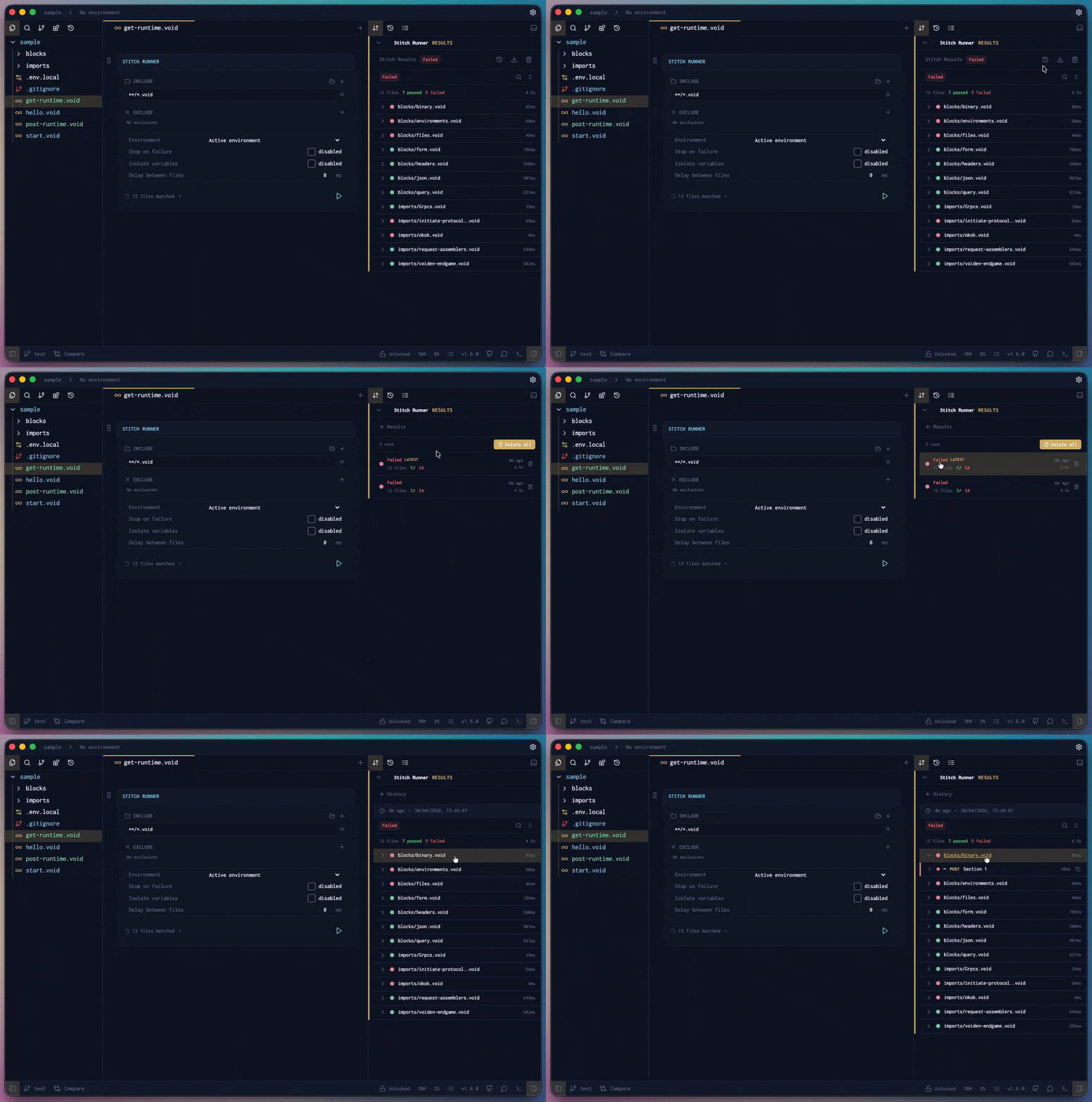
Really useful when you want to compare runs or track down when something started going wrong.
Summary
Stitch Blocks gives you full control over automated API runs — choose your files, set your environment, configure the run behavior, and fire. Whether you run them in Sequence or switch to Parallel and run them all at the same time, it's the fastest way to validate multiple .void files at once and stay confident that your APIs are working exactly as expected.