XML Block
Sometimes your API speaks XML instead of JSON.
The XML Block in Voiden gives you a dedicated space to write or paste your XML payload — whether you're working with XML-based web services, or legacy systems.
Paste in raw XML or type it from scratch. The editor handles it cleanly. And when your tags get tangled? Hit Prettify in the top-right corner to format your XML into properly indented, readable structure.
Try it Out
- Type
/xmlto add an XML Block payload to your Voiden file
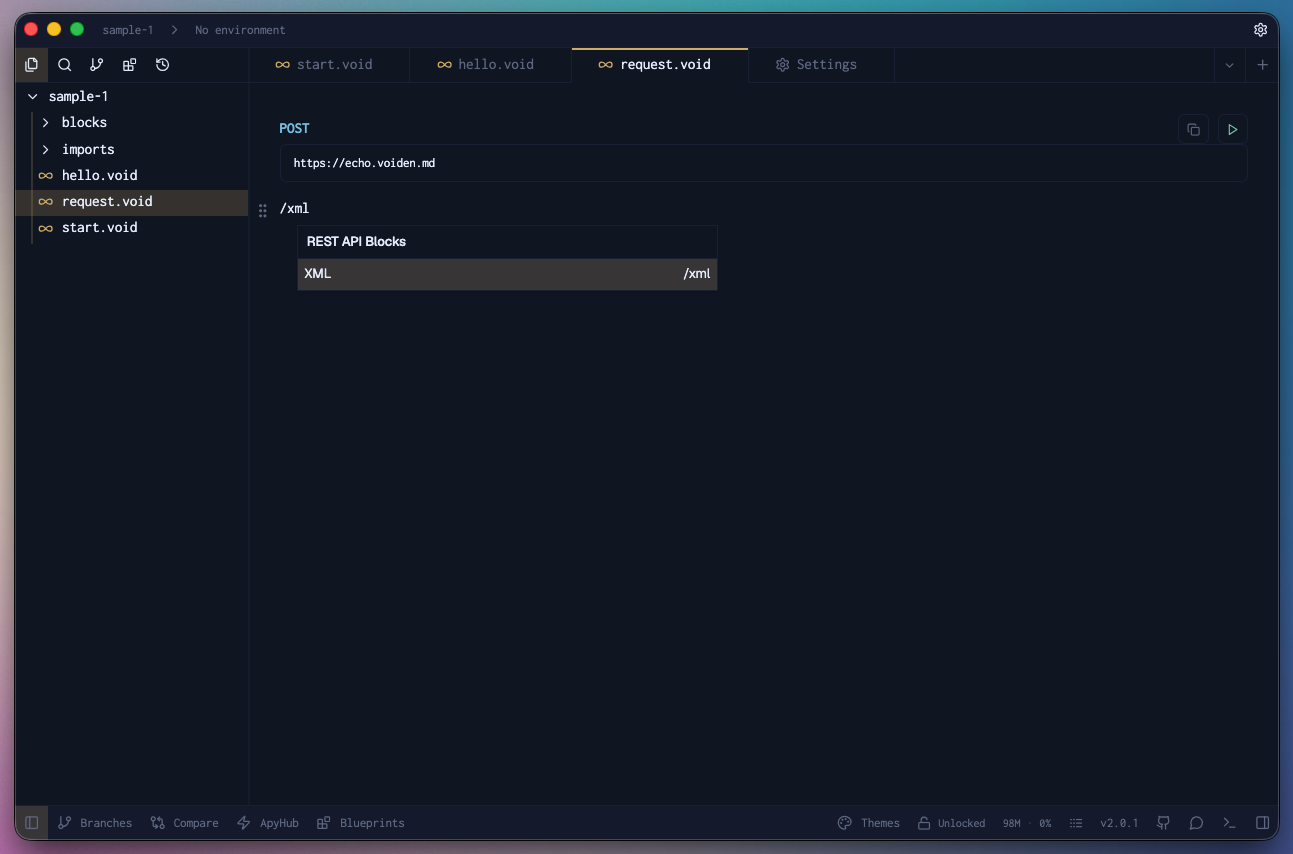
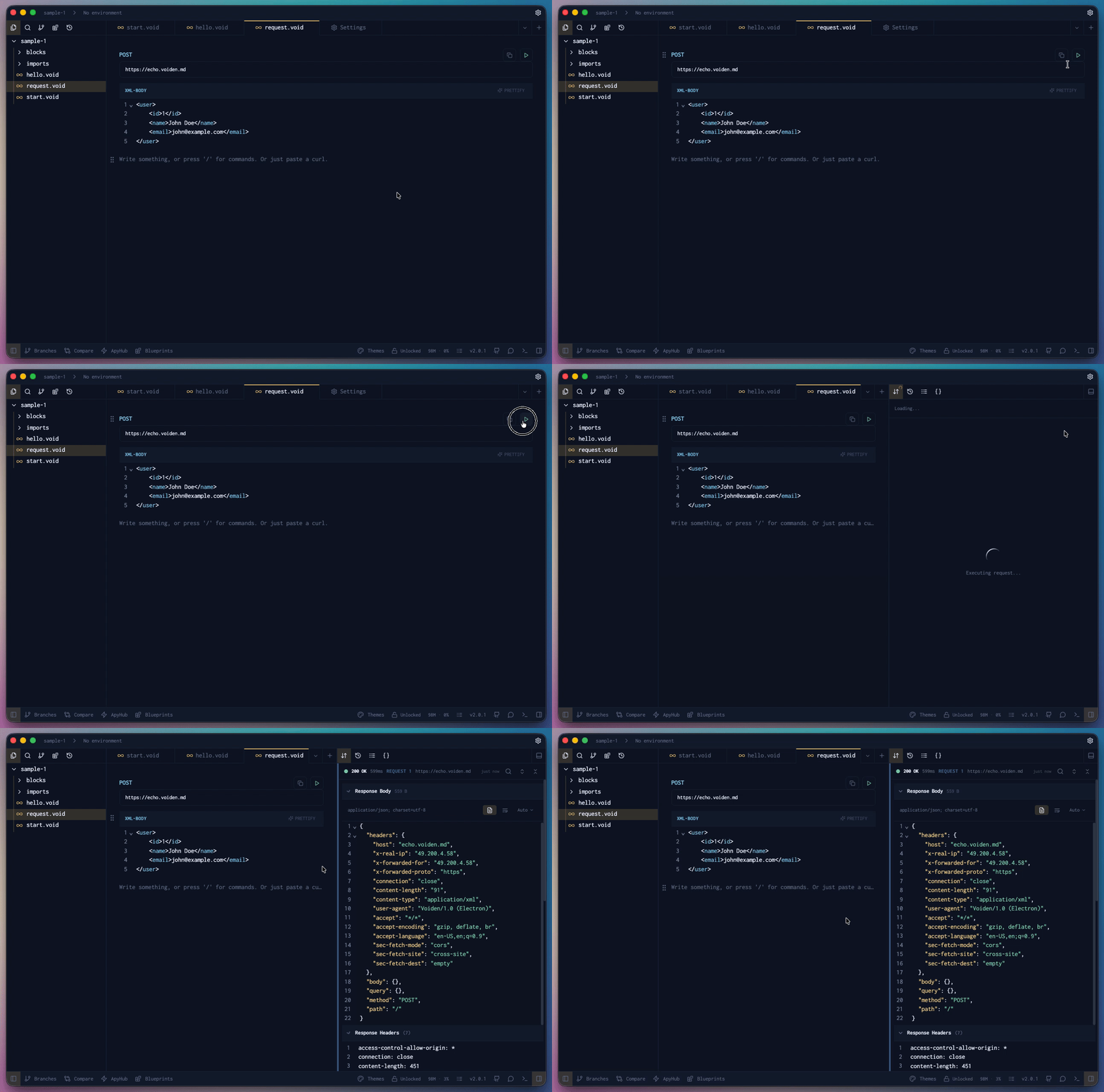
- Paste in (or type) the sample XML
- Hit Cmd + Enter (Mac) or Ctrl + Enter (Windows/Linux) to run the request
— or click the green Play button in the toolbar
Pro Tip: Want to comment out a line without overkill?
Use Cmd + / (Mac) or Ctrl + / (Windows/Linux) to comment out an XML line you don't need for that payload.
It'll stay visible but won't be sent with the request.
Unless you click the Prettify option in the top right corner of the block. Then all the comments will go bye-bye.
The XML Block handles structured data the old-school way.
Just clean XML, ready to send.