Multipart Table Block
Unlike JSON or XML, Multipart bodies let you send classic form data — and sometimes that's exactly what you need.
The Multipart Table Block gives you a clean key-value table to define your multipart form data, whether you're uploading profile pictures, submitting forms with attachments, or sending complex payloads that mix text and binary data.
When you need to send files, images, or mixed data types in a single request — multipart is the way to go.
Try it Out
- Type
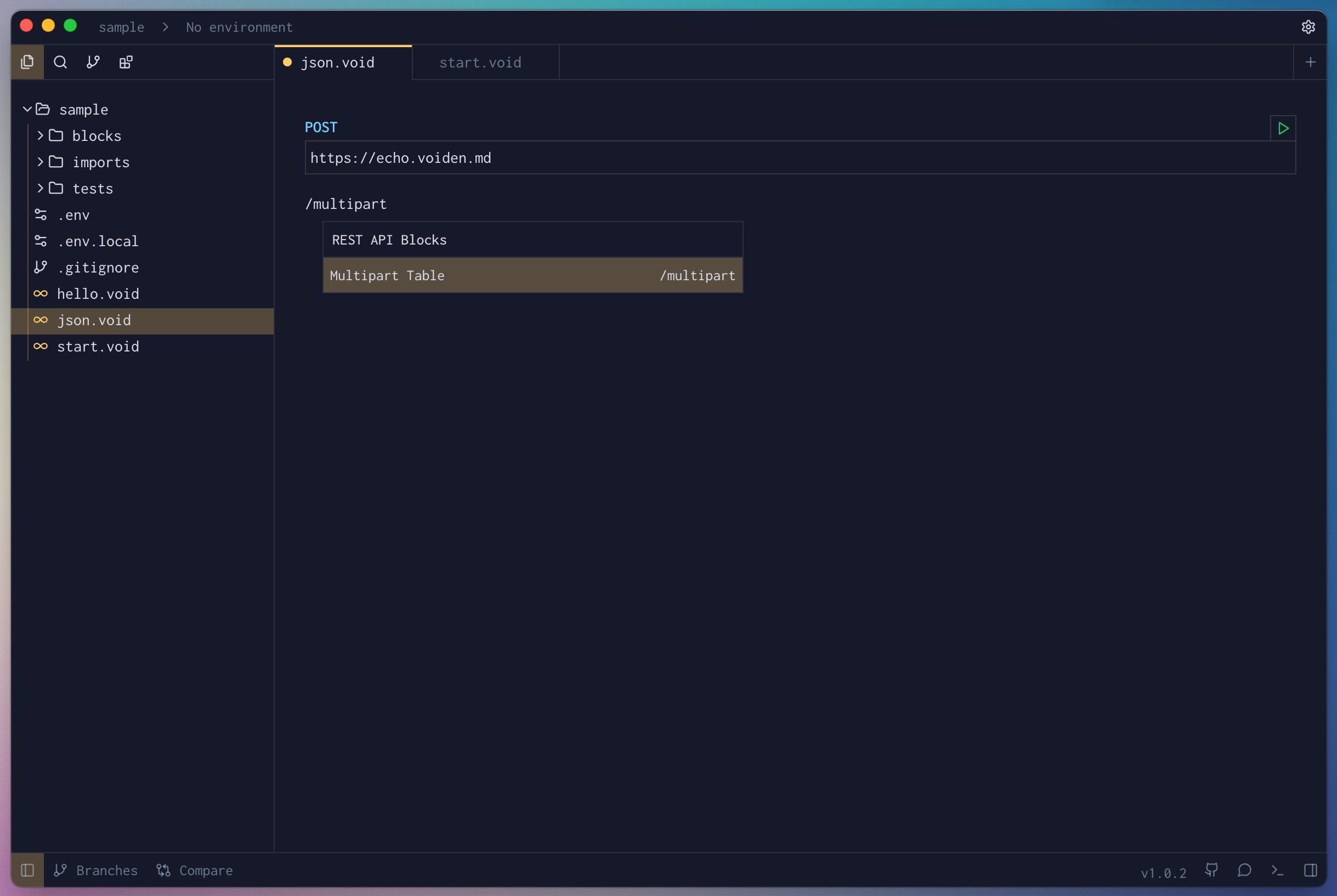
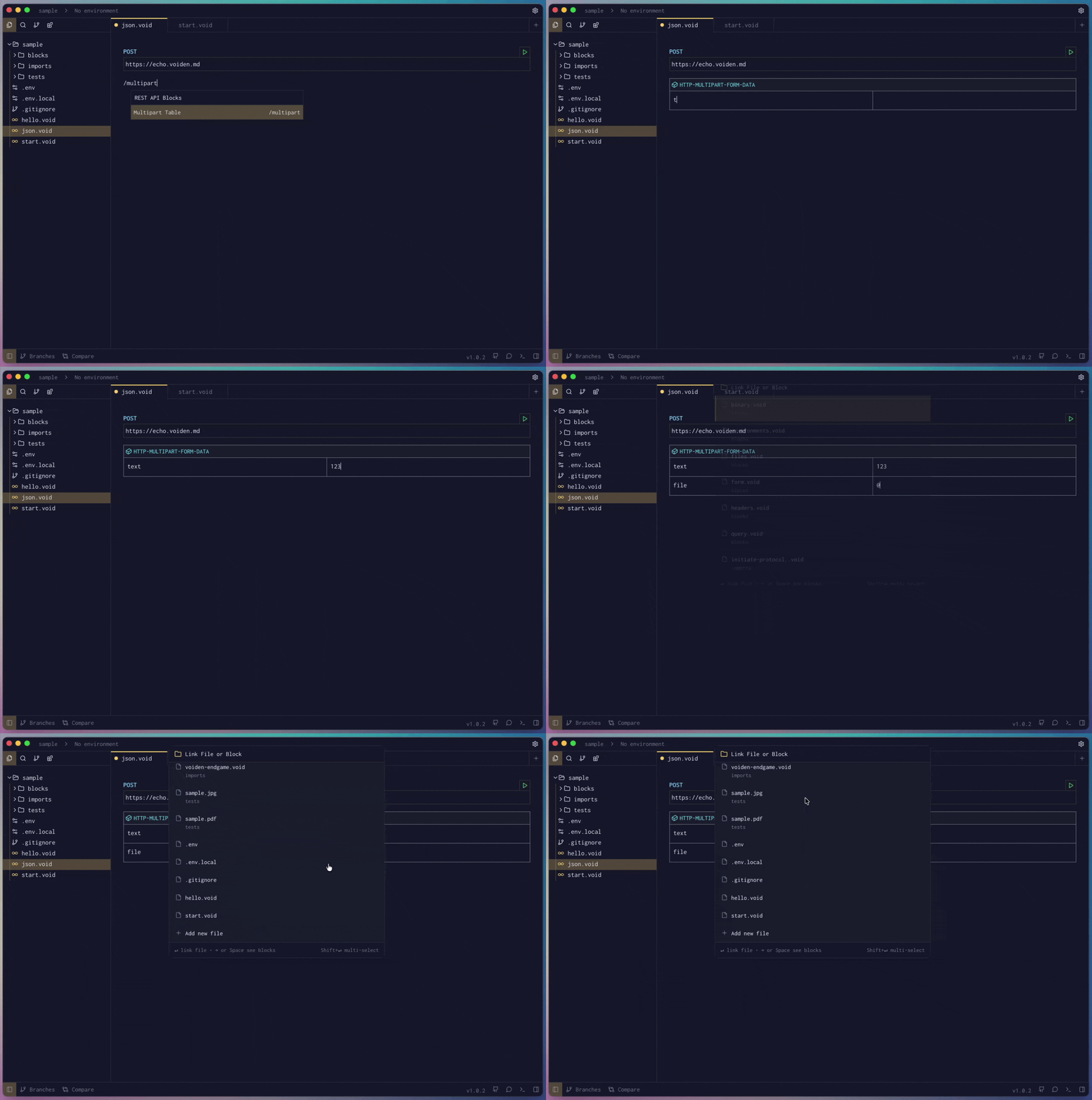
/multipartand press Enter to create a Multipart Table Block in Voiden.
- Add some multipart form fields to your request.
- Run the request using Cmd + Enter (Mac) or Ctrl + Enter (Windows/Linux),
or click the green Play button in the toolbar.
Pro Tip: Want to temporarily disable a multipart form data field without deleting it?
Use Cmd + / (Mac) or Ctrl + / (Windows/Linux) to comment it out.
It’ll stay visible but won’t be sent with the request.
The Multipart Block makes file uploads and mixed-content requests straightforward.
No manual boundary strings. No content-type confusion. Just a table that sends exactly what you specify.