Quick Start
Let's send your first request in Voiden. This takes about two minutes — no configuration, no setup, just a live API call you can see working right away.
We'll use https://echo.voiden.md — a simple echo endpoint that reflects back exactly what you send it. Perfect for getting a feel for how Voiden works.
Step 1 — Create a Request Block
Type /endpoint anywhere in the editor to insert a new Request Block.
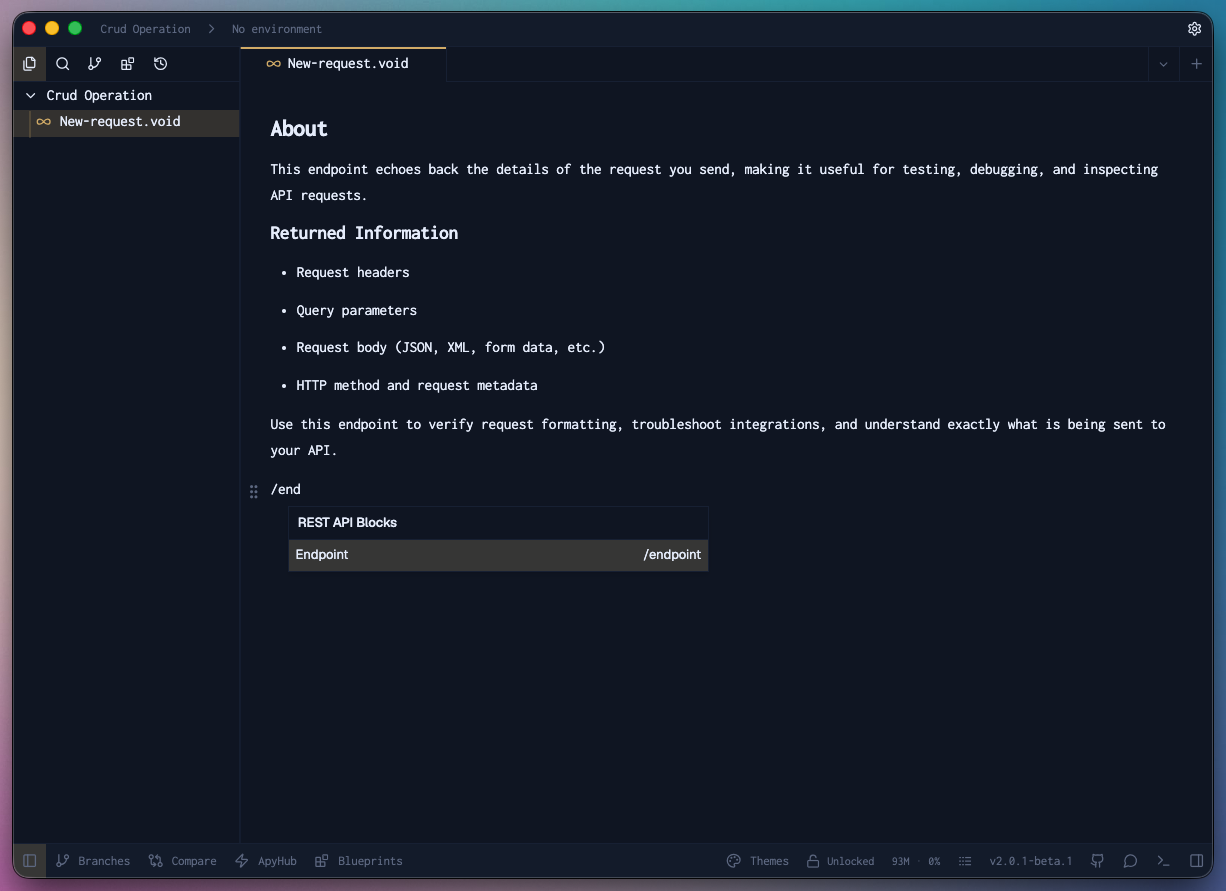
Everything in Voiden is a block — requests, docs, environment configs, assertions. Type / anywhere to see the full list of available blocks.
Step 2 — Paste the URL
In the URL field, enter:
https://echo.voiden.md
Step 3 — Run the Request
Send the request using either:
- Keyboard:
Cmd + Enteron macOS /Ctrl + Enteron Windows & Linux - Mouse: click the green ▶ Play button in the toolbar
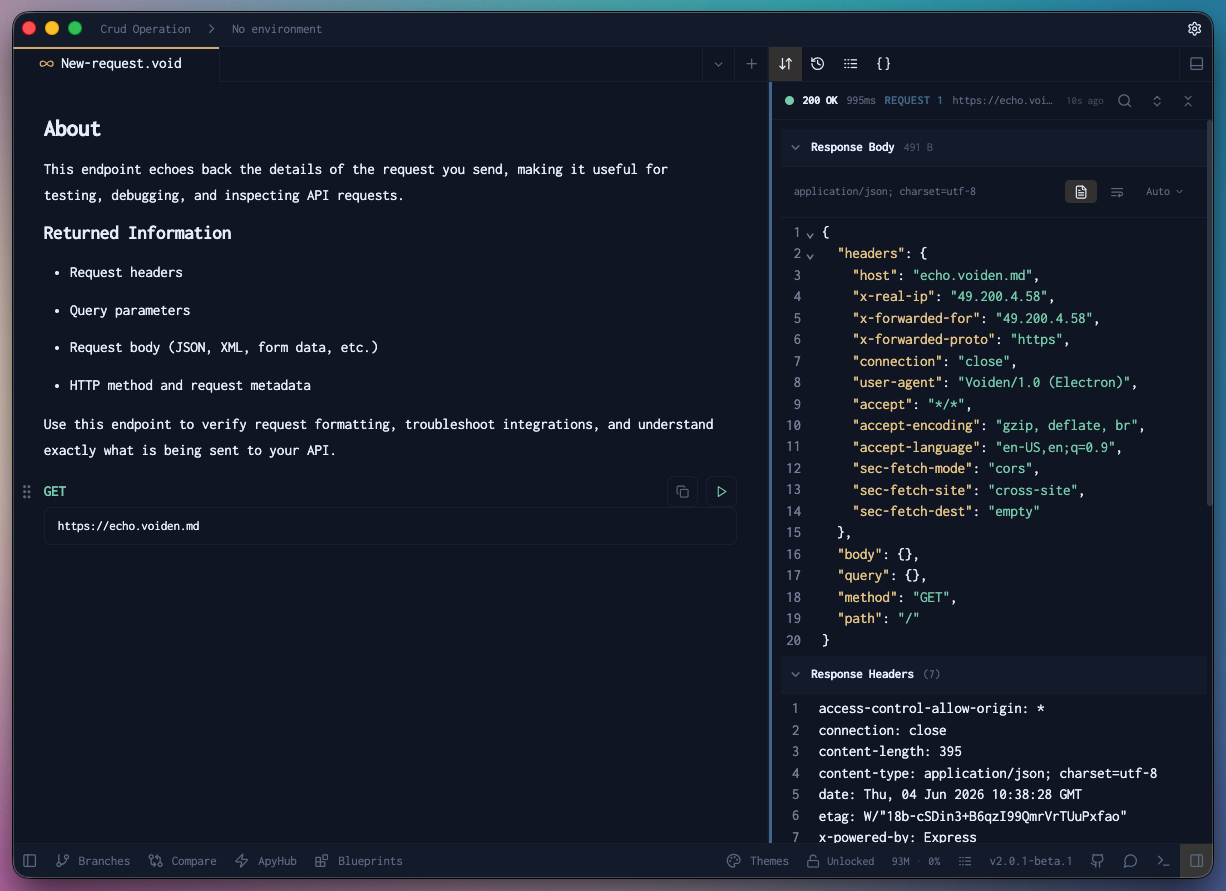
Step 4 — Read the Response
The Response Panel opens below the block and shows you the full response — status code, headers, and body. Since this is an echo endpoint, it'll return exactly what you sent.
Step 5 — Add Some Docs
Here's where Voiden is different. You don't need a separate wiki or README to document this request — just write directly in the editor, right next to the block.
Describe what the endpoint does, what a successful response looks like, edge cases to watch for — anything useful. Your docs and your requests live together, stay in sync, and travel with the file.
Voiden treats documentation as a first-class part of your API workflow. Everything lives in .void files that you can version, share, and diff just like code.
That's your first Voiden request — clean, simple, and already documented.