Import from Postman
Already doing your API work in Postman? Great — bring it all into Voiden in just a few steps. No rebuilding from scratch, no copy-pasting. Just import and keep going.
What You'll Need
A Postman Collection exported as JSON. We recommend using the v2.1 format for best results.
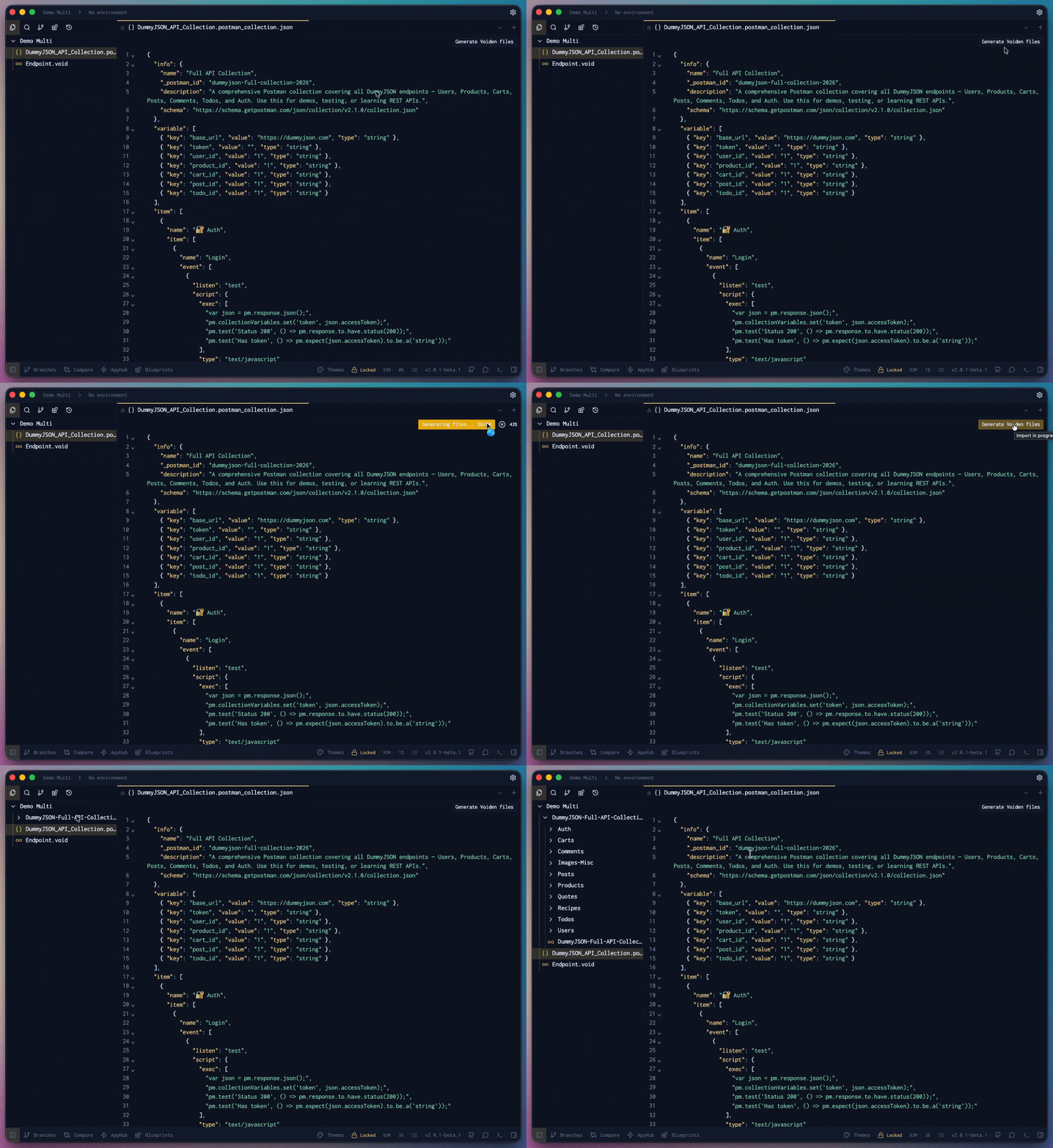
Tip: The quickest way to import is to drag your Postman JSON file directly into the file list panel on the left side of Voiden. That's all it takes.
Generate Your Voiden Files
Once your collection is in, here's what to do:
- Open the imported file — click on it in the left panel
- Hit "Generate Voiden Files" — you'll see the button right there waiting for you
- Watch it organize itself — Voiden creates a clean folder structure using your collection name
- You're done — every request is now its own Voiden file, with endpoints, params, and configs all intact
Import Your Environment Variables Too
Got your environments set up in Postman? You don't have to start over.
- Open your Postman collection in Voiden
- Look for the Import Environment Variables button in the top-right corner
- Click it and pick your exported Postman environment file
- That's it — all your variables are right there in Voiden, exactly as they were
What Gets Converted
- All HTTP endpoints (GET, POST, PUT, DELETE, and more)
- Request headers and authentication settings
- Query parameters and path variables
- Request body schemas and examples
- Response examples and status codes
Ready to Go
One import, everything set up. Your Postman work becomes a structured, ready-to-use API foundation in Voiden — no manual effort, no room for mistakes.