Import from OpenAPI
Get started with your existing APIs in seconds! Voiden lets you import OpenAPI specifications and instantly generate ready-to-use API requests.
Quick Start
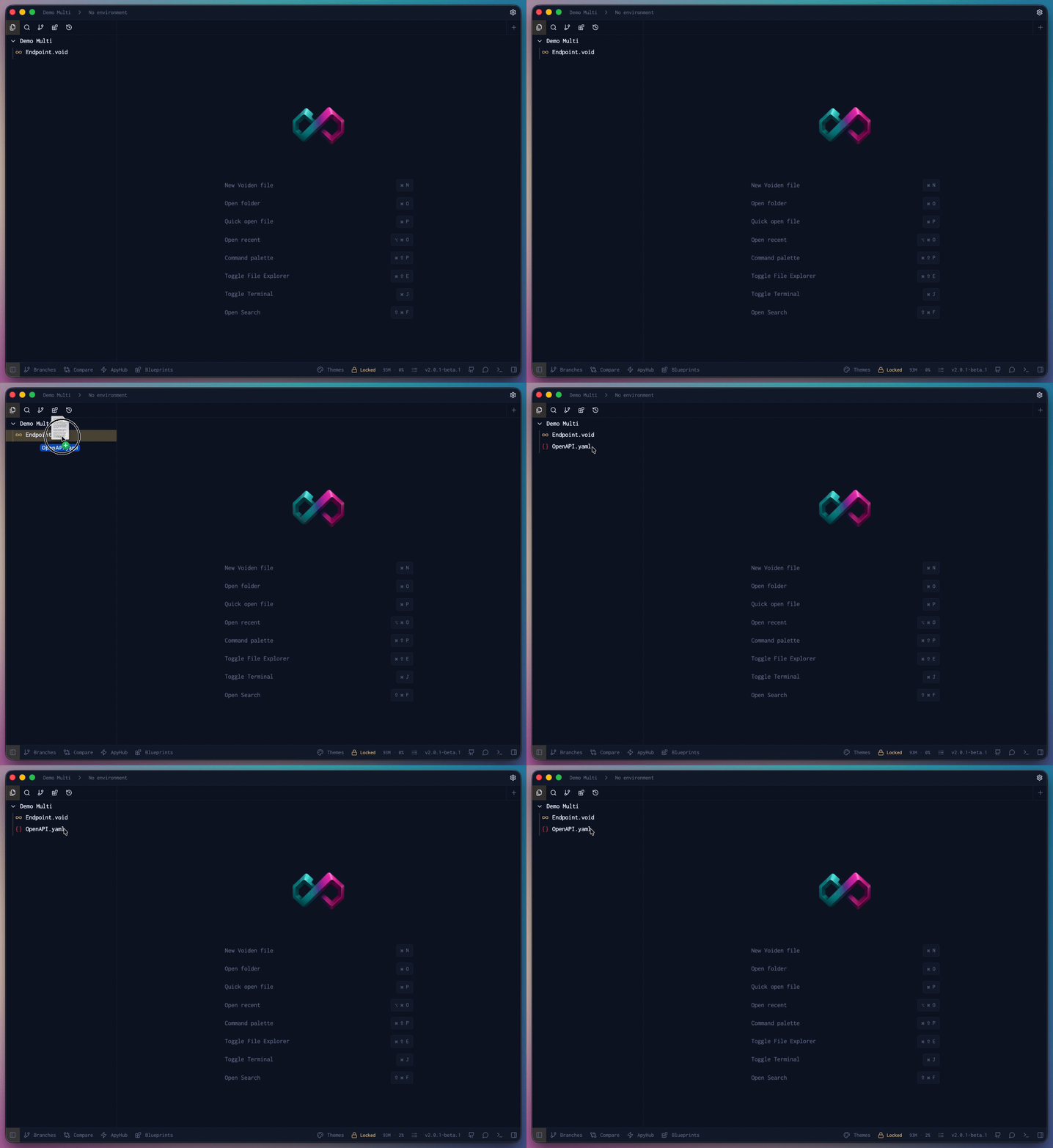
1. Open Your OpenAPI File
- Drag & drop your
openapi.yamloropenapi.jsonfile into Voiden
2. Preview Your Endpoints
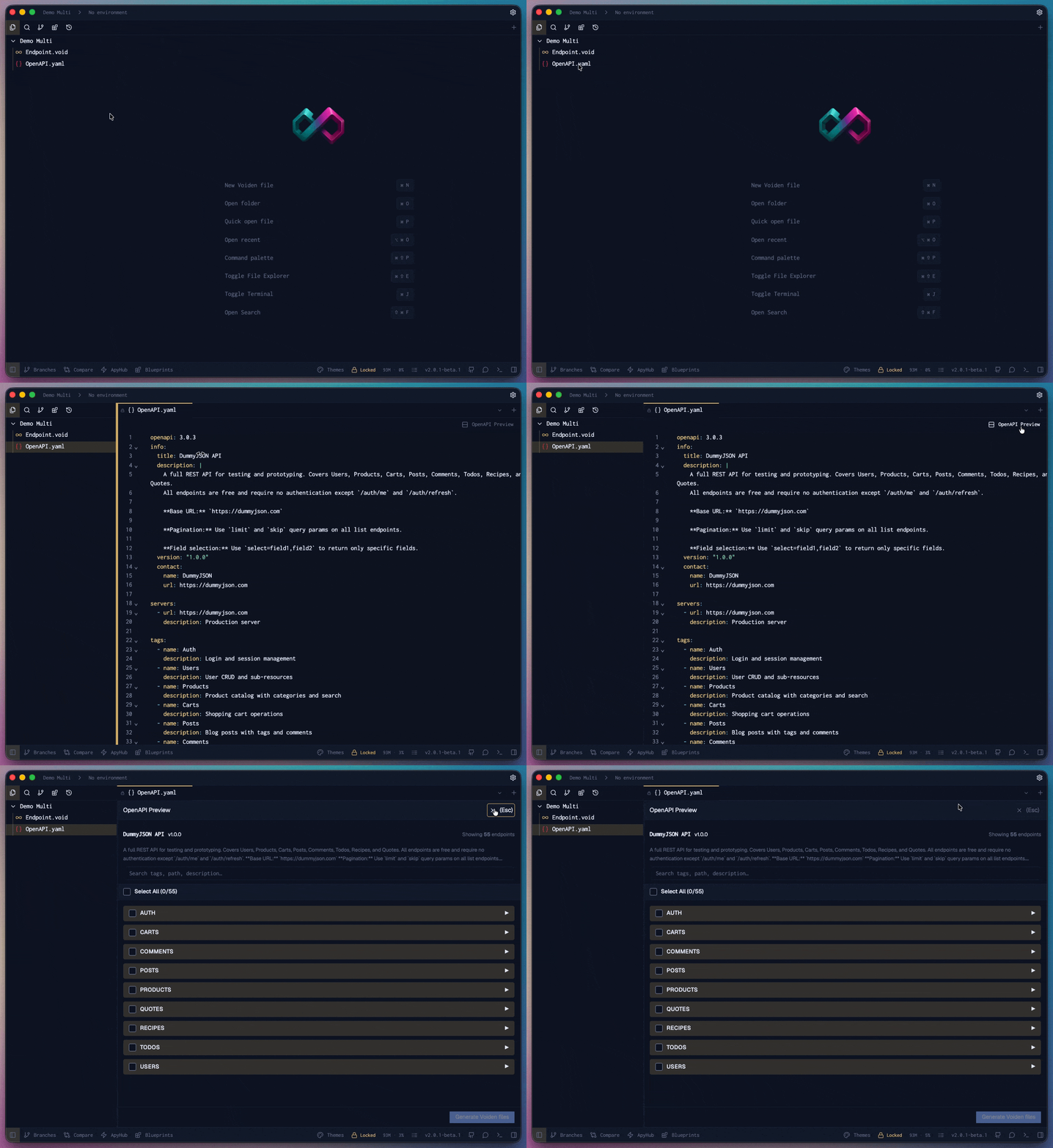
- Click the "OpenAPI Preview" button that appears
- Browse all your API endpoints organized by tags
- Use search to quickly find specific endpoints
- Select which endpoints you want to import
3. Generate Voiden Files
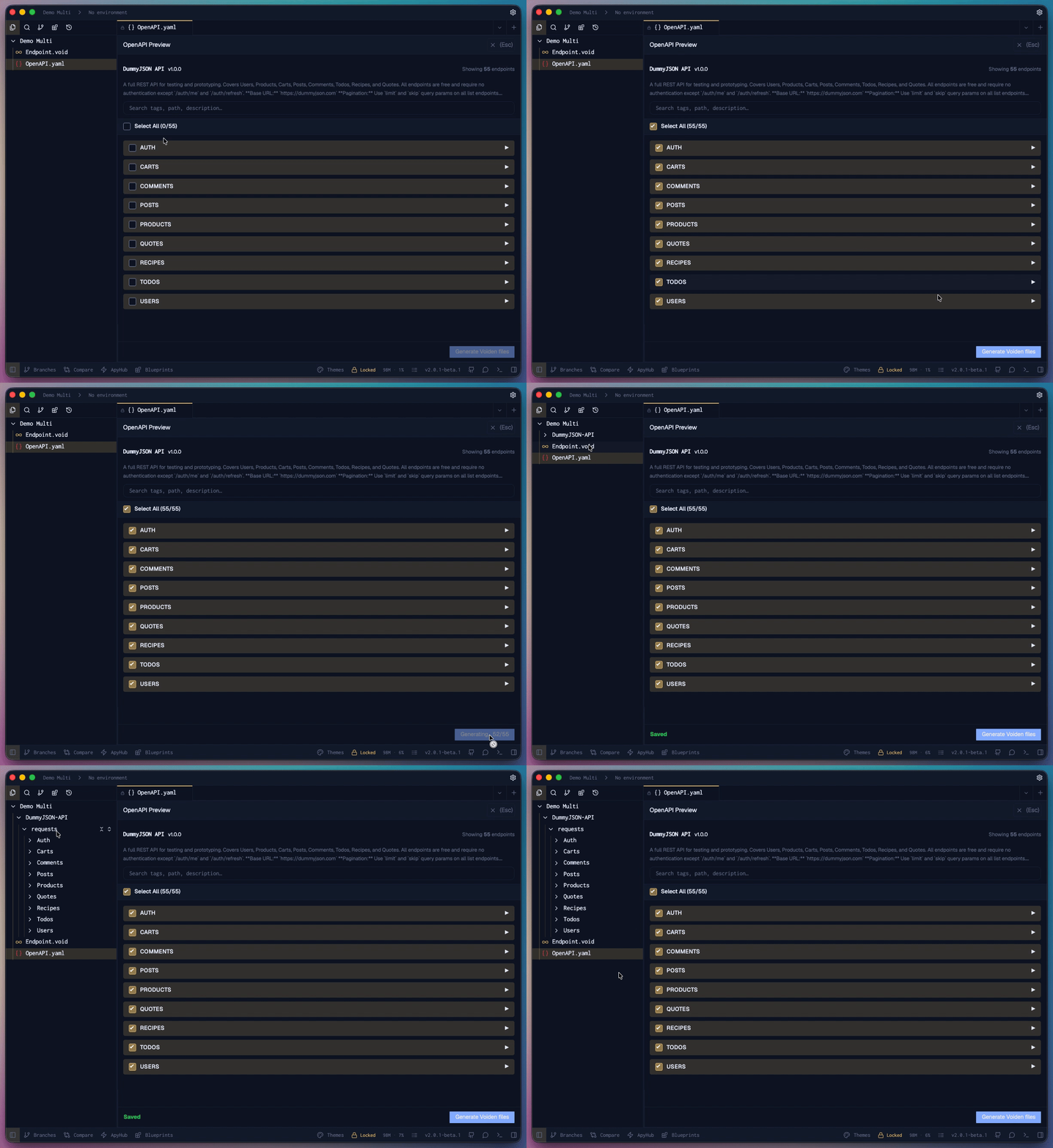
- Select the required API, or use the Select All option to choose all available APIs in one click.
- Click the "Generate" button
- Voiden automatically creates a folder with your API's name
- Each endpoint becomes a ready-to-use
.voidrequest file
What You Get
- Organized Structure - Endpoints grouped by tags in subfolders
- Pre-configured Requests - Methods, paths, and parameters already set up
- Ready to Test - Start making API calls immediately
- Fully Editable - Customize generated files as needed
Ready to Go!
Your imported APIs are now organized Voiden files. Open any .void file and start testing—no manual setup required.
Tip: Import your OpenAPI spec once and your entire API collection is ready for testing!