Import from Insomnia
This feature is powered by the Insomnia Collection Importer — a community-built plugin. Make sure it's installed in Voiden before you get started.
Already have collections in Insomnia? You don't have to start from scratch. Voiden can import your existing Insomnia v4 exports and convert them into ready-to-use .void files — folder structure, headers, query params, request bodies, and authentication all included.
How to Import
- In Insomnia, go to Application → Export Data → Current Workspace and export as Insomnia v4 JSON
- Drop the exported
.jsonfile into your active Voiden project and open it - Click "Import into Voiden" in the top-right corner
- Voiden creates a folder matching your workspace name and populates it with
.voidfiles — one per request
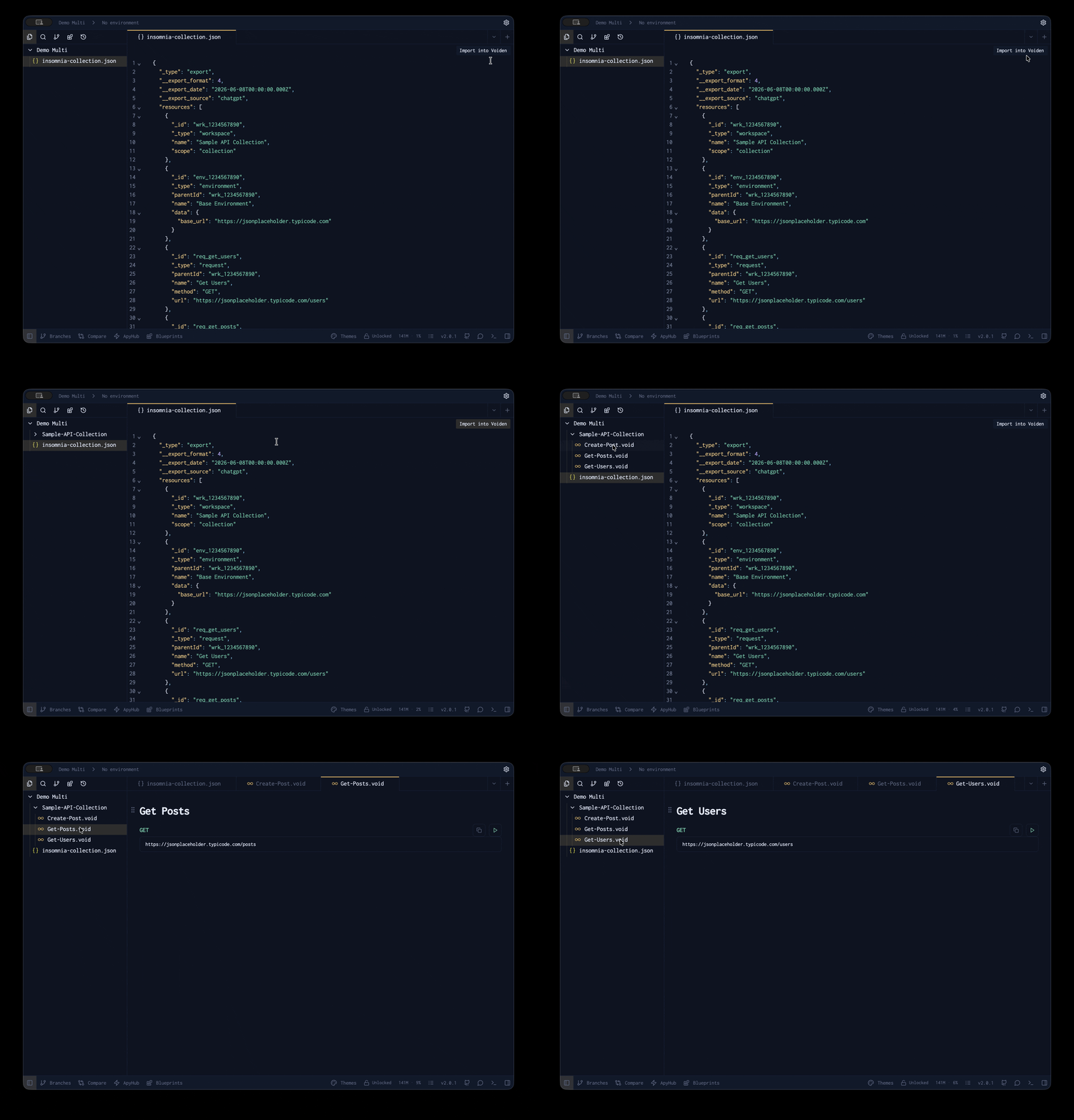
That's it. Your entire Insomnia collection is now in Voiden and ready to run.
Summary
The Insomnia importer takes your existing workspace and brings it into Voiden with no manual work. Your folder structure, requests, headers, query params, body types, and authentication are all converted automatically into .void files — organised, editable, and ready to test. It's the fastest way to switch to Voiden without losing the work you've already done.