Post Script
The Post Script block lets you run custom logic after a response is received.
It executes locally inside Voiden in an isolated environment. Use it to validate responses, extract values, store runtime variables, or write logs.
Voiden supports JavaScript, Python, and Shell (bash).
For a full reference of what you can do inside a script, see the Voiden Scripting.
How to Insert
-
In your Voiden file, type
/post_scriptand press Enter.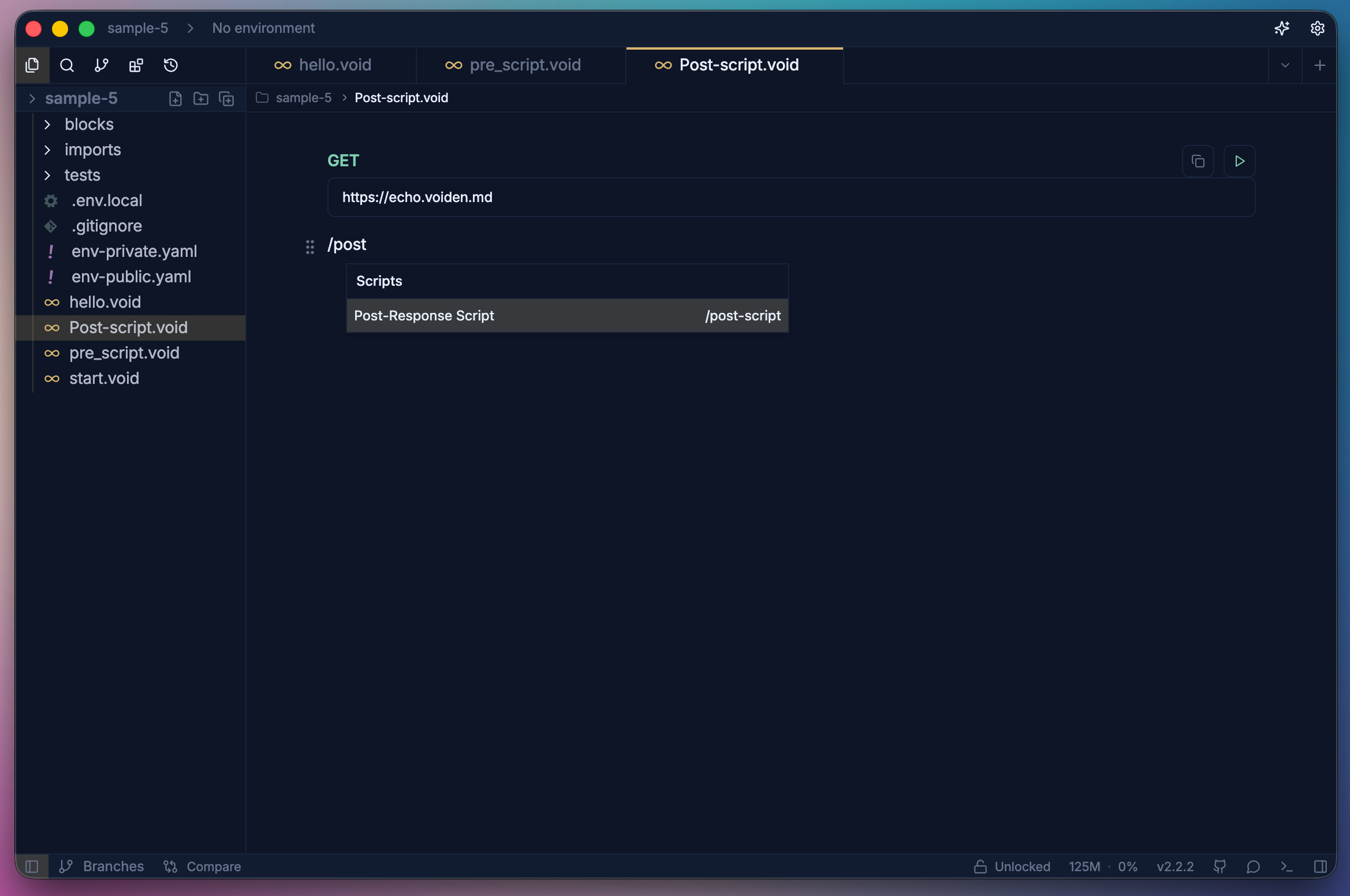
-
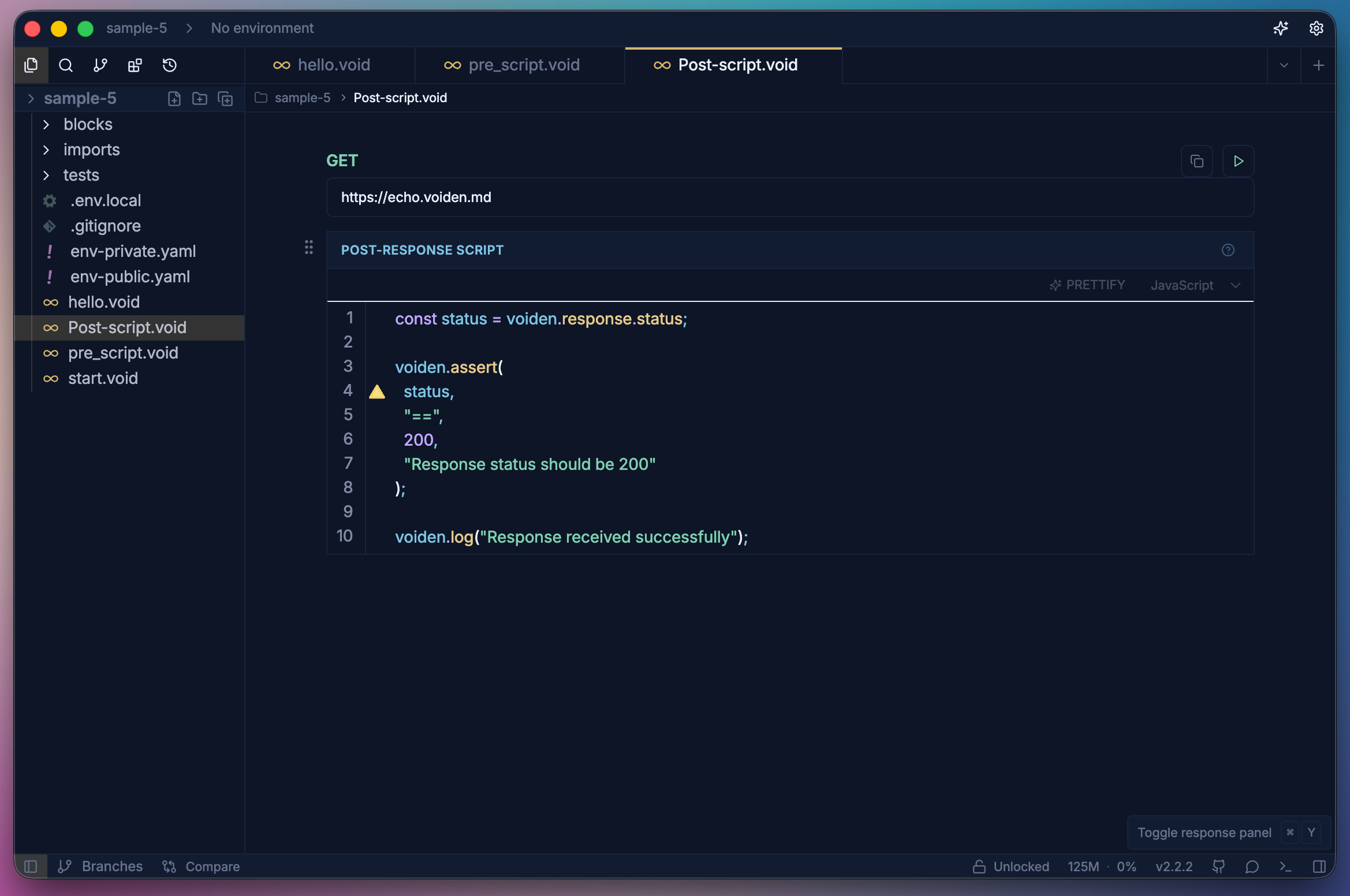
Add your script logic inside the block.
-
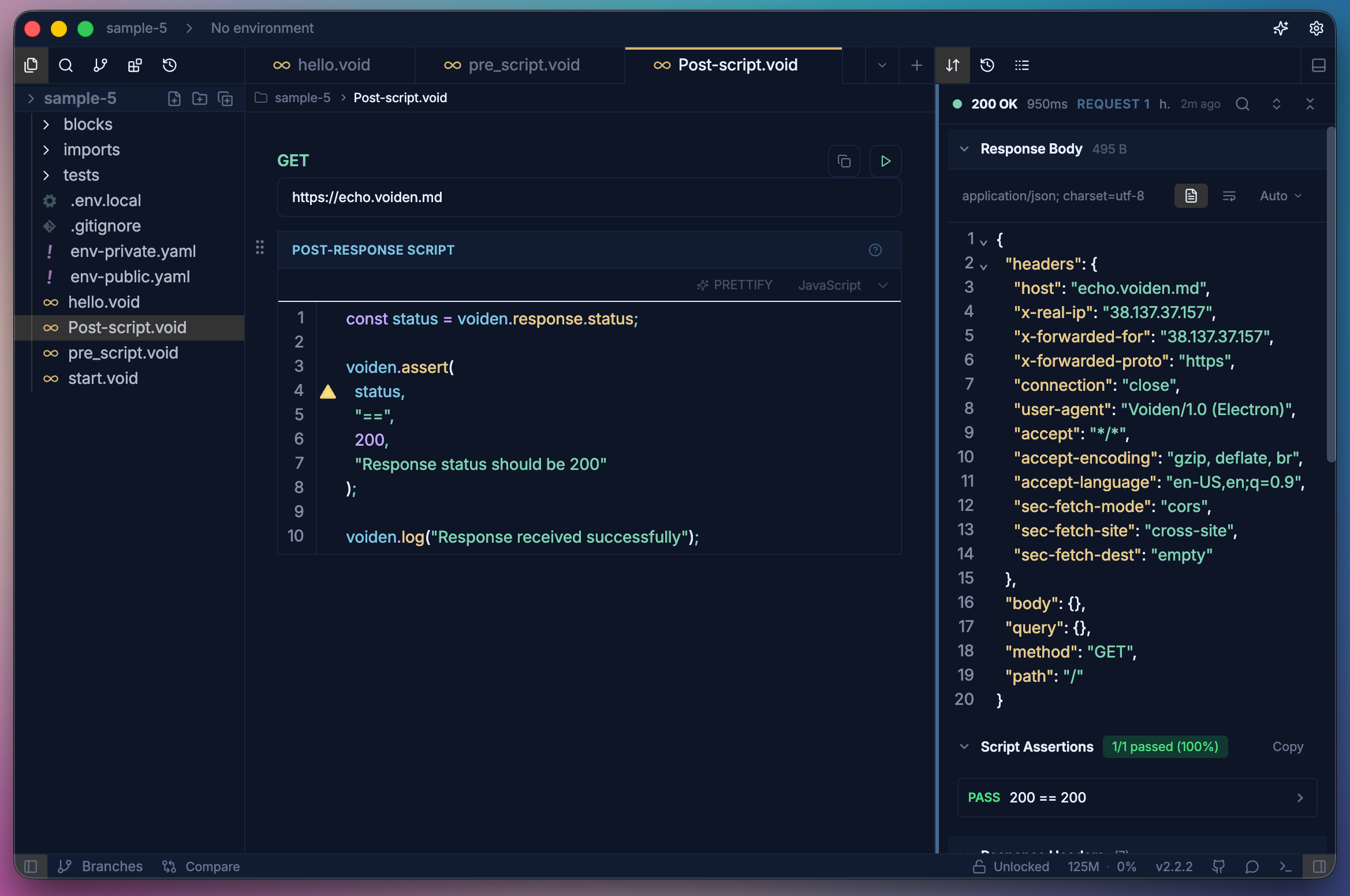
Run the request with Cmd + Enter (Mac) or Ctrl + Enter (Windows/Linux).
-
View response and assertions in the Response panel and logs in the Script Logs.
What You Can Access
Inside a Post Script, the voiden.response object is read-only:
| Property | Description |
|---|---|
voiden.response.status | HTTP status code |
voiden.response.statusText | Status text (e.g. "OK") |
voiden.response.headers | Response headers |
voiden.response.body | Response body |
voiden.response.time | Response time in ms |
voiden.response.size | Response size in bytes |
Examples
The following are a few common examples of what you can do inside a Post Script. Since scripts run in a full Node.js, Python, or bash process, you're not limited to these — you can write any logic you need.
Reading the Response
- JavaScript
- Python
- Shell
const status = voiden.response.status;

voiden.assert(status, "==", 200, "Status should be 200");
voiden.log("Response received successfully");
status = voiden.response.status

voiden.assert_(status, "==", 200, "Status should be 200")
voiden.log("Response received successfully")
status=$(voiden.response.status)

voiden.assert "$status" "==" "200" "Status should be 200"
voiden.log "Response received successfully"
Variables
Runtime variables let you extract values from a response and carry them forward into other requests. This is useful for chaining requests — for example, storing a token or ID returned by one endpoint and using it in the next.
Store a value
- JavaScript
- Python
- Shell
await voiden.variables.set("lastStatus", voiden.response.status);
await voiden.variables.set("authToken", voiden.response.body.token);
voiden.variables.set("lastStatus", voiden.response.status)
voiden.variables.set("authToken", voiden.response.body.token)
voiden.variables.set "lastStatus" "$(voiden.response.status)"
voiden.variables.set "authToken" "$(voiden.response.body)"
Read a value back
- JavaScript
- Python
- Shell
const token = await voiden.variables.get("authToken");
token = voiden.variables.get("authToken")
token=$(voiden.variables.get "authToken")
Summary
Post Scripts give you full control over the response after it is received. Use them to assert status codes, extract values into runtime variables, log response details, or chain data across multiple requests.