Voiden Scripting
Scripting is a core part of serious API tooling. It lets you go beyond static requests — dynamically injecting auth tokens, chaining requests by passing data between them, validating responses automatically, and encoding custom logic that no UI alone can express. Most API clients that support scripting limit you to JavaScript. Voiden takes a different approach: it ships with JavaScript, Python, and Shell (bash) support out of the box, so you can write scripts in the language you already work in.
Scripts run at two stages:
- Pre Script — executes before the request is sent. Use it to inject headers, set variables, or cancel the request.
- Post Script — executes after the response is received. Use it to assert values, extract data, or store results.
Both stages share the same voiden API, giving you full access to env, variables, logging, and assertions.
Blocks
Voiden Scripting introduces two blocks you can add to your .void file:
| Block | Description |
|---|---|
| Pre-Script | Runs before the request is sent. Use it to modify headers, body, params, or cancel the request entirely. |
| Post-Script | Runs after the response is received. Use it to assert values, extract data, and store variables for later requests. |
How Scripts Run
Voiden runs your scripts in an isolated environment so they can't interfere with the app. The way this works differs slightly between languages.
JavaScript scripts are sent to a separate Node.js process. The voiden API (env, variables) communicates back to the app via message passing, so every API call returns a Promise. This is why you need await.
Python scripts also run in a separate process, but before the script starts, Voiden pre-loads all your environment variables and runtime variables and passes them in directly. So the voiden API is just plain synchronous method calls — no await needed.
Shell (bash) scripts run in a bash subprocess. The voiden API is exposed as shell functions. Use $(voiden.command) to capture return values, and call setters without parentheses — bash will treat () as a syntax error.
- JavaScript
- Python
- Shell
// Pre-request script Example

try {
  // Timestamp
  const timestamp = new Date().toISOString();
  await voiden.variables.set("REQUEST_TIMESTAMP", timestamp);

  // Random request ID
  const requestId = "req_" + Math.random().toString(36).substring(2, 10);
  await voiden.variables.set("REQUEST_ID", requestId);

  // Add header
  voiden.request.headers.push({
    key: "X-Request-Id",
    value: requestId,
  });

  // Inject auth token
  const token = await voiden.variables.get("AUTH_TOKEN");

  if (token) {
    voiden.request.headers.push({
      key: "Authorization",
      value: `Bearer ${token}`,
    });
  }

  voiden.log("Pre-script executed successfully");

} catch (error) {
  voiden.log("error", "Pre-script error:", error);
}
# Pre-request script Example

try:
    import random
    import string
    from datetime import datetime

    # Timestamp
    timestamp = datetime.utcnow().isoformat()
    voiden.variables.set("REQUEST_TIMESTAMP", timestamp)
    # Random request ID
    request_id = "req_" + ''.join(random.choices(string.ascii_lowercase + string.digits, k=8))
    voiden.variables.set("REQUEST_ID", request_id)
    # Add header
    voiden.request.headers.push({
        "key": "X-Request-Id",
        "value": request_id
    })
    # Inject auth token
    token = voiden.variables.get("AUTH_TOKEN")

    if token:
        voiden.request.headers.push({
            "key": "Authorization",
            "value": f"Bearer {token}"
        })

    voiden.log("Pre-script executed successfully")

except Exception as e:
  voiden.log("error", "Pre-script error:", str(e))
# Pre-request script Example

# Timestamp (requires date command)
timestamp=$(date -u +"%Y-%m-%dT%H:%M:%SZ")
voiden.variables.set "REQUEST_TIMESTAMP" "$timestamp"

# Random request ID
request_id="req_$(cat /dev/urandom | LC_ALL=C tr -dc 'a-z0-9' | head -c 8)"
voiden.variables.set "REQUEST_ID" "$request_id"

# Add header
voiden.request.headers.push "X-Request-Id" "$request_id"

# Inject auth token
token=$(voiden.variables.get "AUTH_TOKEN")

if [ -n "$token" ]; then
  voiden.request.headers.push "Authorization" "Bearer $token"
fi

voiden.log "Pre-script executed successfully"
Voiden API
Voiden injects a global voiden object into every script. This is the main interface for interacting with your request, response, environment, and runtime state.
| API | Description |
|---|---|
voiden.env | Read environment variables from the active environment |
voiden.variables | Get and set runtime variables shared across requests |
voiden.log() | Output messages to Voiden's script log panel |
voiden.assert() | Run assertions and surface results in the Response panel |
voiden.request | Access and mutate the outgoing request (headers, body, params) |
voiden.response | Read the received response (status, body, headers) |
JavaScript — most
voidenAPI calls are async and requireawaitsince they communicate via message passing to the main app process.Python — all calls are synchronous. Voiden pre-loads state before the script runs, so no
awaitis needed.Shell — all
voidenAPI calls are bash functions. Use$(voiden.command)to capture return values. Do not use parentheses for calls — usevoiden.log "msg", notvoiden.log("msg").
Environment Variables
Environment variables are read-only values configured in your active environment.
- JavaScript
- Python
- Shell
const token = await voiden.env.get("API_TOKEN");
token = voiden.env.get("API_TOKEN")
token=$(voiden.env.get "API_TOKEN")
Runtime Variables
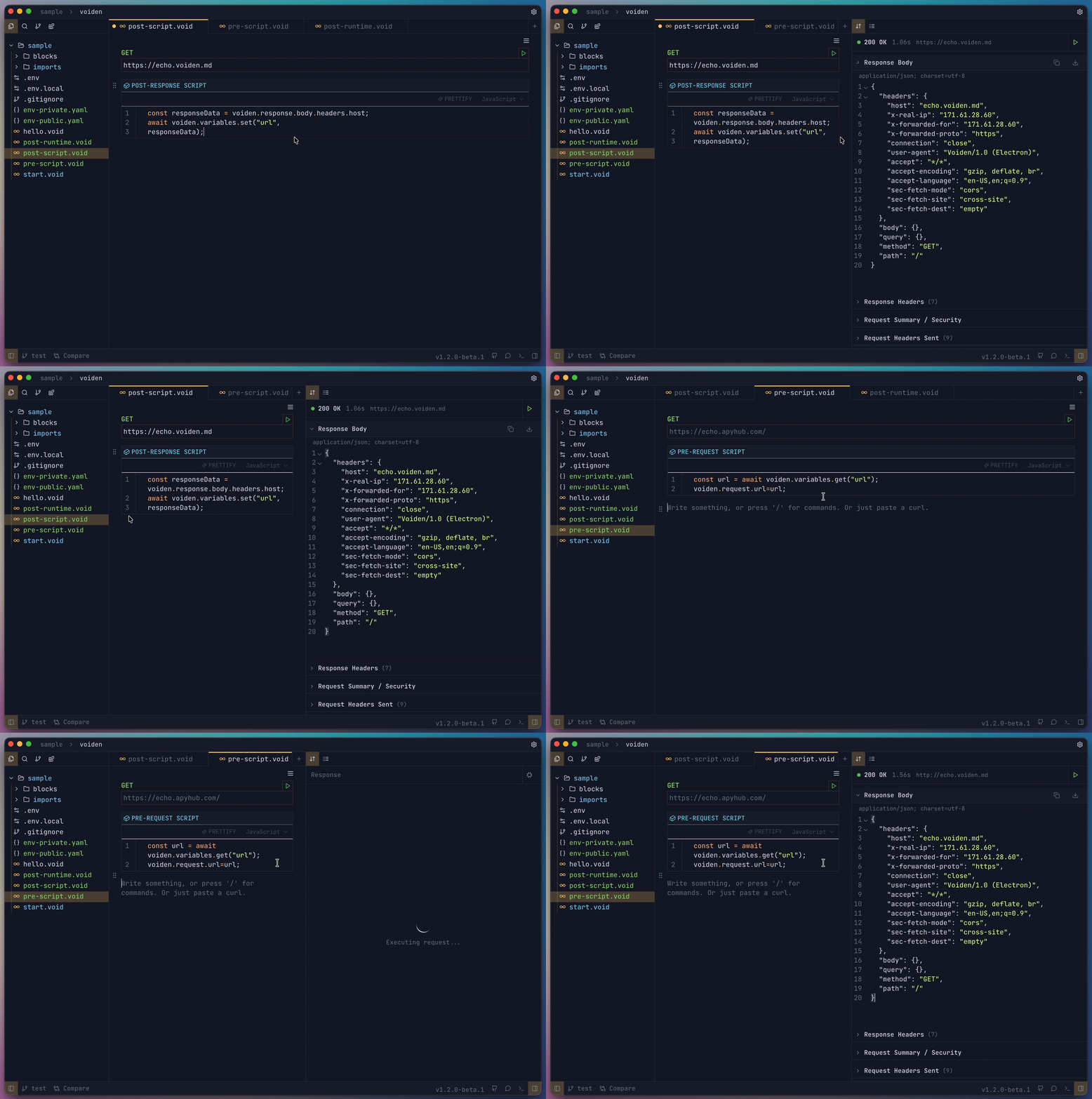
Runtime variables are dynamic values you can create, read, and update during execution. They are useful for passing data between requests.
- JavaScript
- Python
- Shell
await voiden.variables.set("key", "value");
const val = await voiden.variables.get("key");
voiden.variables.set("key", "value")
val = voiden.variables.get("key")
voiden.variables.set "key" "value"
val=$(voiden.variables.get "key")
Logging
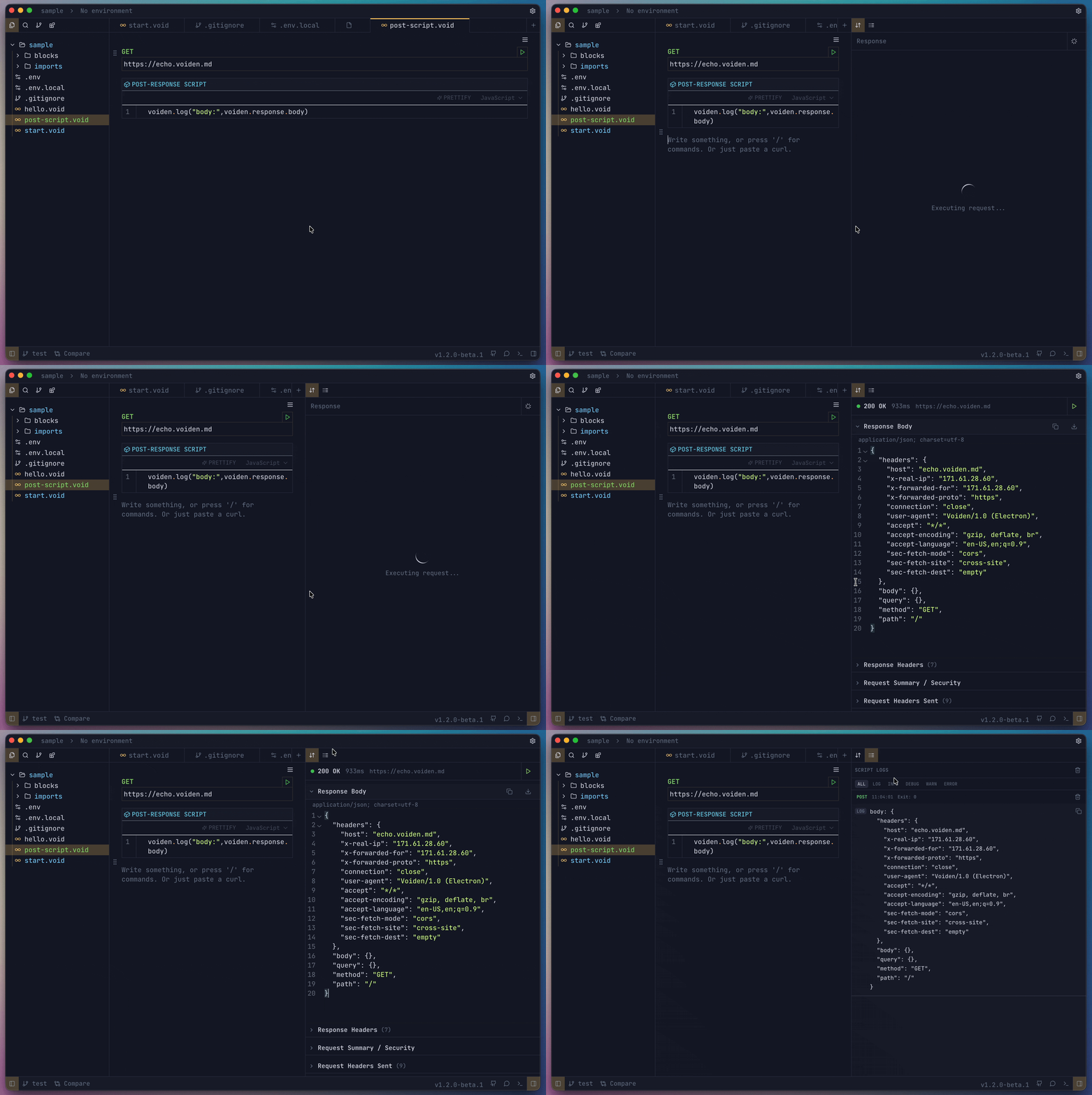
Logs appear in Voiden's UI and help you debug, trace flow, or monitor values during script execution.
- JavaScript
- Python
- Shell
voiden.log("message");
voiden.log("info", "pre-script ran");
voiden.log("warn", "token missing");
voiden.log("error", "request aborted");
voiden.log("debug", "body:", voiden.request.body);
voiden.log("message")
voiden.log("info", "pre-script ran")
voiden.log("warn", "token missing")
voiden.log("error", "request aborted")
voiden.log("debug", "body:", voiden.request.body)
voiden.log "message"
voiden.log info  "pre-script ran"
voiden.log warn  "token missing"
voiden.log error "request aborted"
voiden.log debug "body: $(voiden.request.body)"
Supported levels: log · info · debug · warn · error
Assertions
Assertions let you validate values and surface pass/fail results in the Response panel.
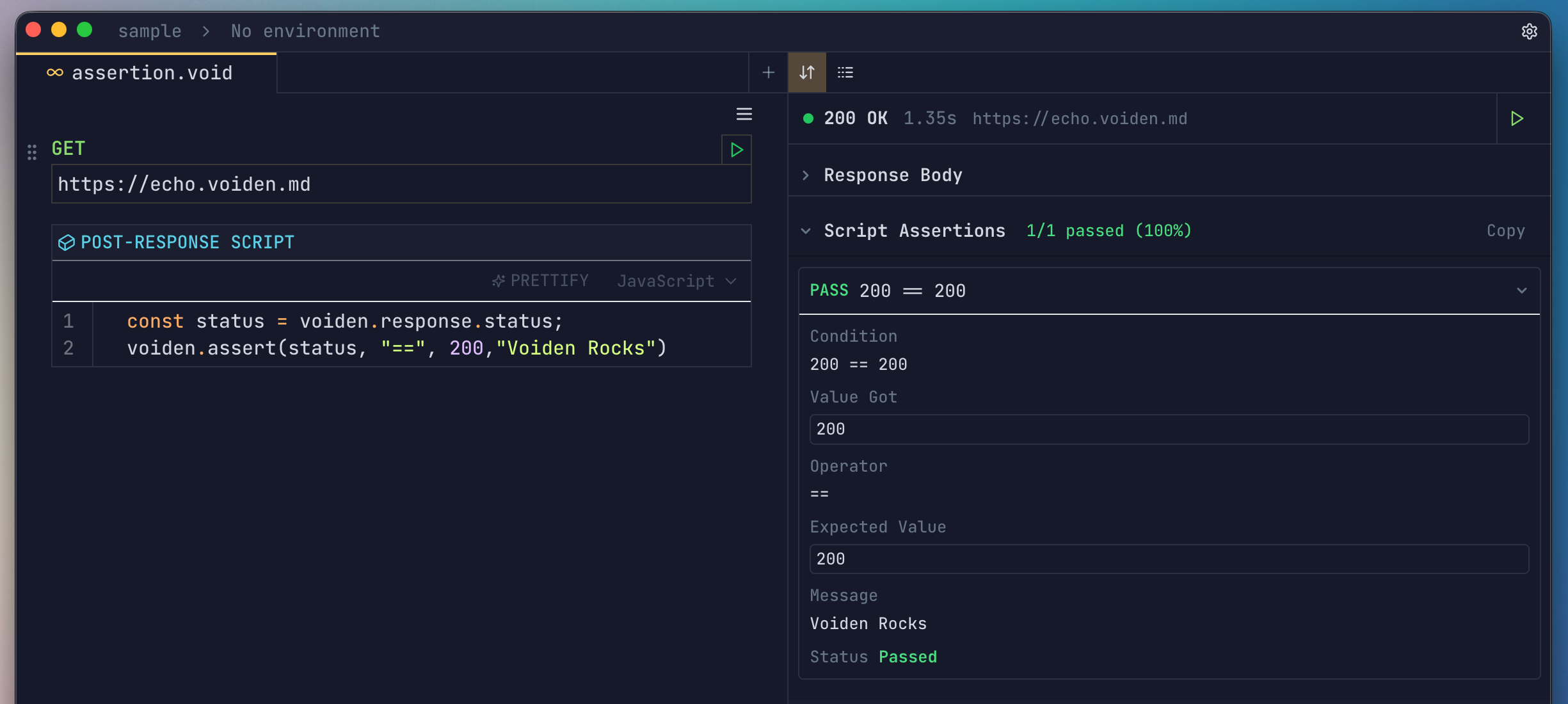
voiden.assert(actual, operator, expectedValue, message);
| Parameter | Description |
|---|---|
actual | The value to test (e.g. voiden.response.status) |
operator | Comparison operator (e.g. "==", "contains", "greater") |
expectedValue | The value you expect |
message | (Optional) Label shown in the assertion result |
- JavaScript
- Python
- Shell
voiden.assert(voiden.response.status, "==", 200, "Status should be 200");
voiden.assert(voiden.response.body.name, "contains", "Voiden", "Name check");
voiden.assert_(voiden.response.status, "==", 200, "Status should be 200")
voiden.assert_(voiden.response.body.name, "contains", "Voiden", "Name check")
voiden.assert "$(voiden.response.status)" "==" "200" "Status should be 200"
voiden.assert "$(voiden.response.body)" "contains" "Voiden" "Name check"