OpenAPI Collection Import Plugin
The OpenAPI Import plugin (part of the Voiden Core Plugins Pack) lets you import your existing API definitions directly from an OpenAPI specification file — either JSON or YAML format.
Easily browse, search, preview, and generate ready-to-use Voiden request files from your OpenAPI documentation.
How It Works
- Open any OpenAPI file (
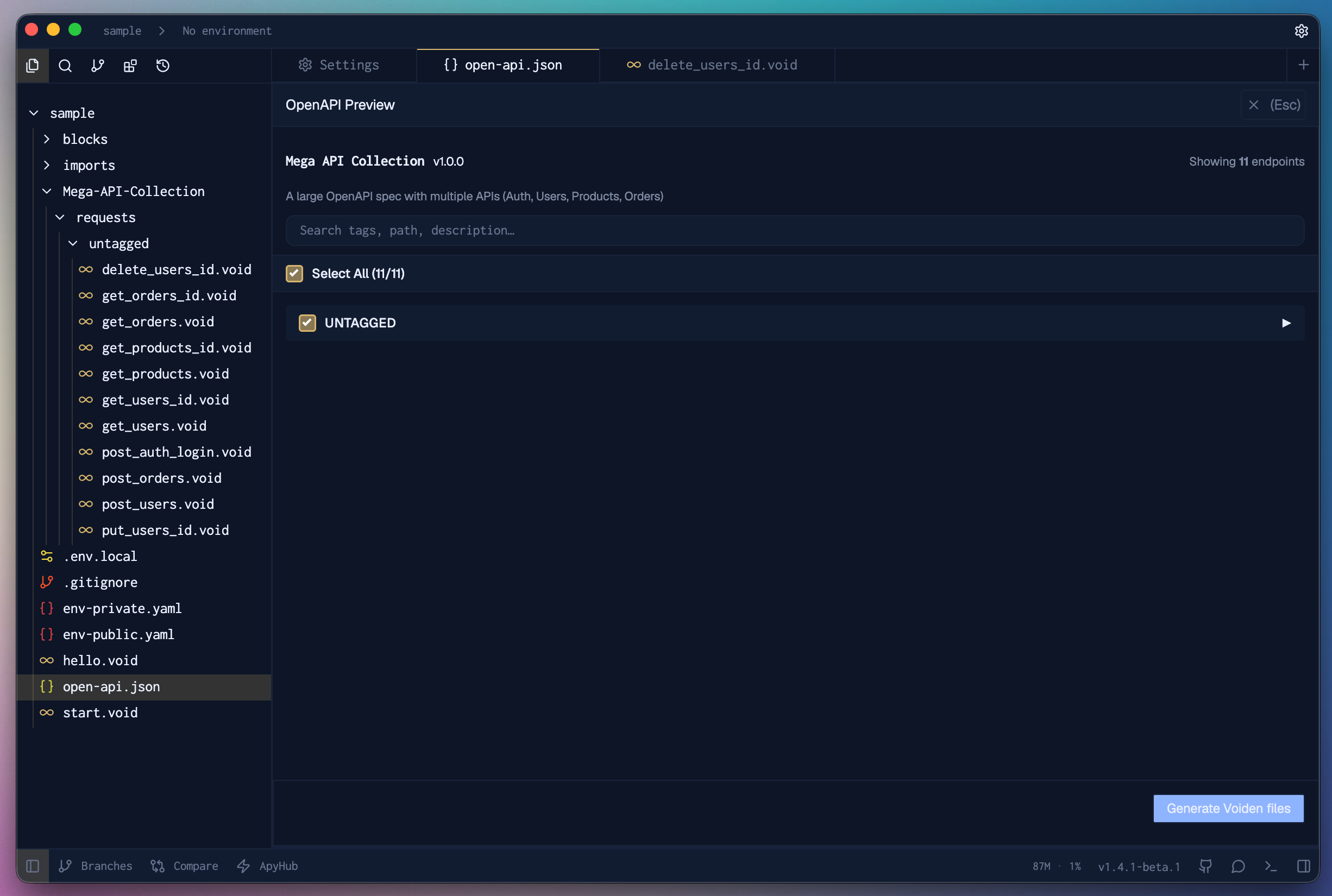
.jsonor.yaml) directly inside Voiden to begin the import process. - After the file loads, Voiden automatically displays the OpenAPI Preview button at the top of the editor.
- Click the button to launch an interactive preview panel in the same tab, where all endpoints are neatly organized by tags for effortless navigation.
- To return to your specification, simply click Close or press Esc at any time.
Discover the full set of capabilities in our API Reference →
Using the Generated Requests
Each generated .void file represents a complete Voiden request, pre-filled with:
- Method (
GET,POST, etc.) - Path and parameters
- Request body and example data (if defined in the OpenAPI spec)
You can open any .void file directly and start testing your API instantly inside Voiden — no manual setup required.
Why Use OpenAPI Import?
- Faster onboarding — Import full API collections in seconds
- Consistent structure — Automatically organized by tags
- Searchable preview — Instantly filter endpoints by name or method
- Interactive details — Inspect parameters, schemas, and responses before generating
- Editable requests — All generated
.voidfiles remain fully customizable
With the OpenAPI Import Plugin, Voiden turns your existing API documentation into ready-to-test requests — making API testing smoother, faster, and more connected.