Overview
gRPC in Voiden provides a powerful way to communicate with services using high-performance, strongly typed APIs. Built on Protocol Buffers, gRPC enables fast data exchange, low latency, and support for streaming communication patterns.
With Voiden’s gRPC support, you can easily create, test, and explore unary and streaming gRPC requests directly from the editor. This makes it ideal for service-to-service communication, real-time data flows, and performance-critical systems—all while keeping APIs clear, consistent, and easy to work with.
gRPC Request
Voiden makes working with gRPC simple and approachable, even if you’re new to it. This guide walks you through creating a gRPC request, understanding proto files, and sending requests in a friendly, step-by-step way.
Step 1: Create a gRPC Request
To get started with a gRPC request in Voiden:
- Open your Voiden file
- Type
/grpcsand press Enter - Voiden inserts a gRPC block where you can configure and run your request
Learn how to create and configure a gRPC request →
Step 2: Understanding Proto Files
Proto files (.proto) are the foundation of gRPC. They define:
- Available services
- Methods inside each service
- Request and response message structures
In simple terms, a proto file is the contract between the client and the server. Voiden automatically reads proto files and uses them to guide you through valid services and methods.
Step 3: Select a Service
A single proto file can contain multiple services.
For example, you might see services like:
- UserService
- PassService
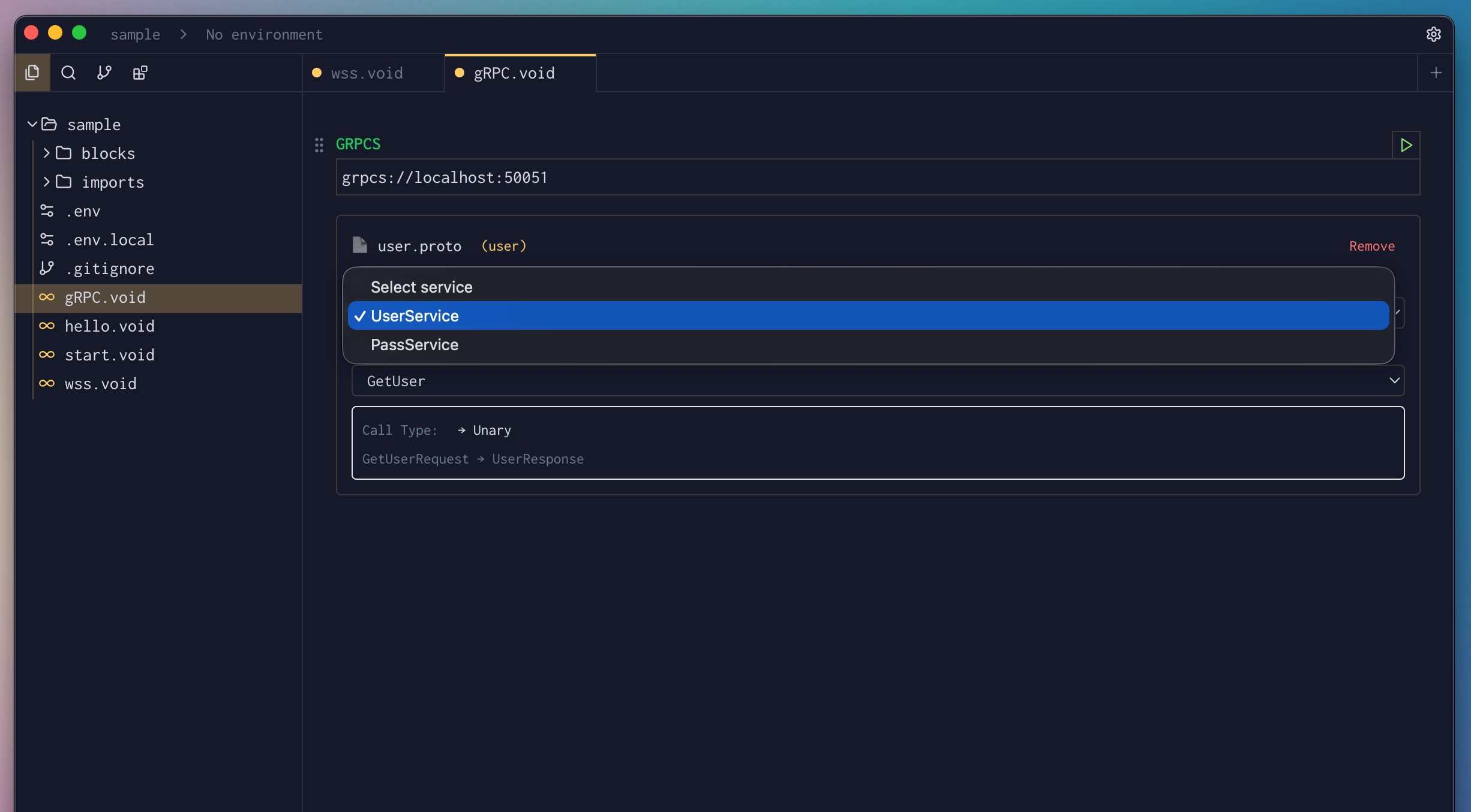
In Voiden, you simply choose the service you want (for example, UserService) from the dropdown—no manual configuration needed.
Step 4: Choose a Method
Each service exposes one or more methods.
For example, a UserService might include:
GetUser— fetch user detailsCreateUser— create a new userUserListener— listen for user updatesChat— bidirectional chat streaming
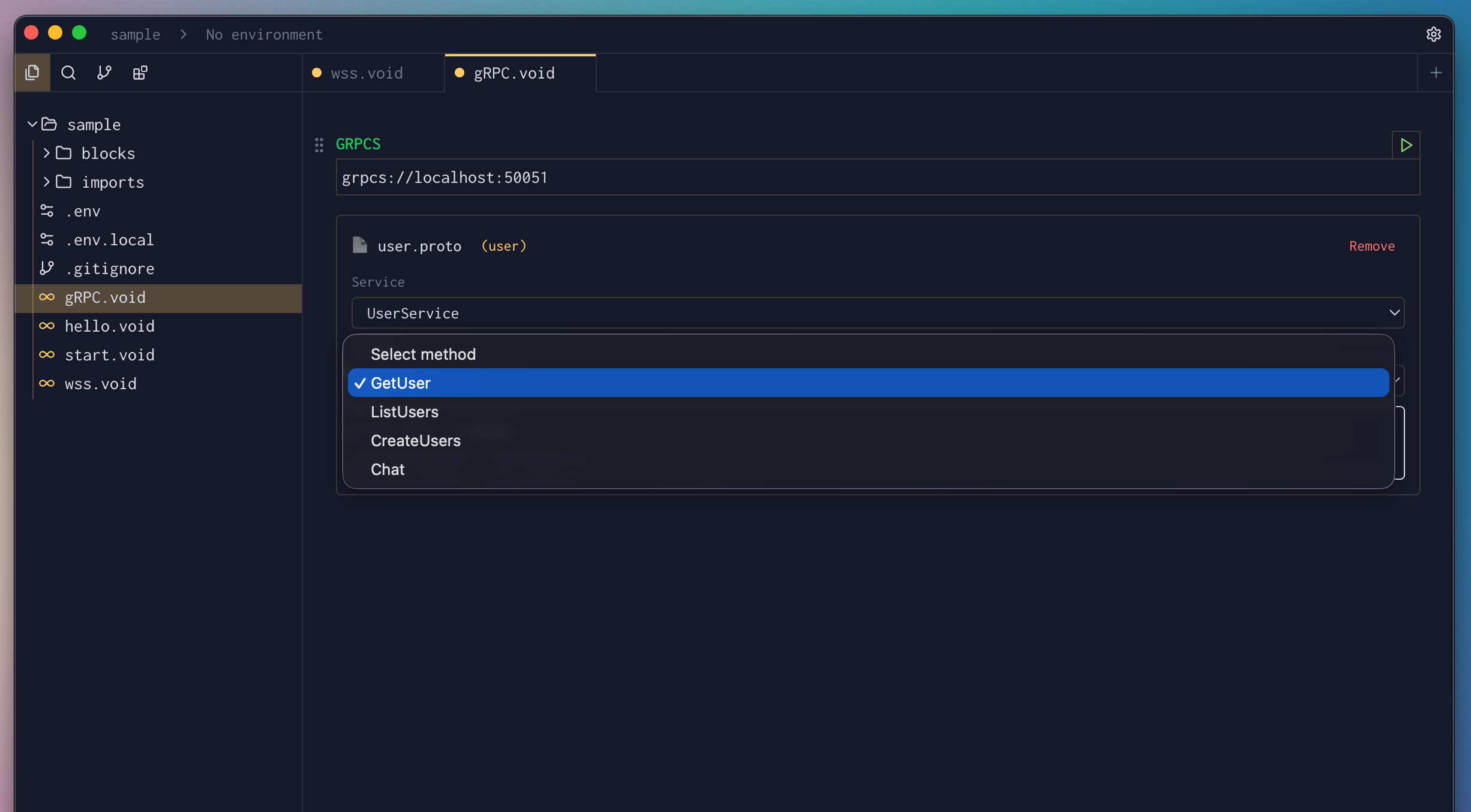
Once you select a method, Voiden automatically knows what input it expects based on the proto definition.
Step 5: Send the Request Payload
Voiden lets you send request data in a way that feels natural:
- Text input for simple payloads
- JSON input for structured data
Voiden validates the payload against the proto schema, helping you avoid mistakes before sending the request.
Step 6: Run and View the Response
Run the gRPC request using:
- Cmd + Enter (Mac)
- Ctrl + Enter (Windows/Linux)
- Or click the Play button
The response panel shows:
- Server responses
- Streaming messages (if applicable)
- Errors or status updates in real time
Summary
With Voiden, creating gRPC requests is fast and intuitive. You select a proto file, choose a service and method, send data as text or JSON, and instantly see responses. This makes testing and exploring gRPC APIs feel just as easy as working with REST—while keeping all the power of gRPC under the hood.