Authorization Block
Authorization Block provides flexible authentication configuration options for API requests in Voiden. It allows users to easily select and configure various authentication mechanisms supported by Voiden.
While Voiden includes another flexible Request Configuration Block Headers— designed to handle any kind of headers, query parameters, or metadata — the Authorization Block is primarily responsible for managing authentication and authorization details only.
This separation ensures a clean and modular approach:
- The Header Block manages custom request data like headers, params, or meta information.
- The Authorization Block manages how a user or service authenticates before making a request.
Together, they allow full control over API requests while maintaining clarity and security.
Try it Out
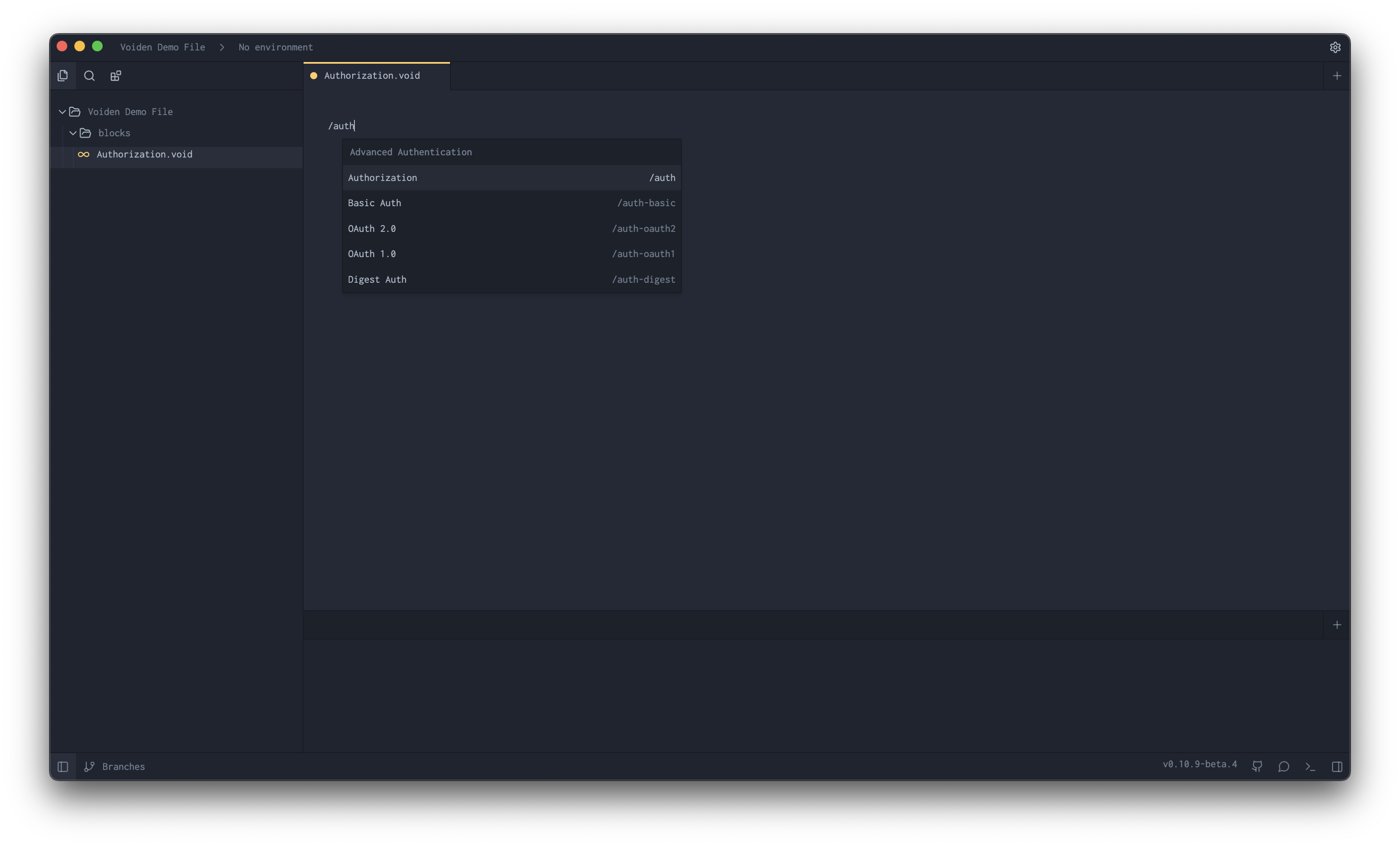
- In your Voiden file, type
/authand press Enter to create a Authorization Block.
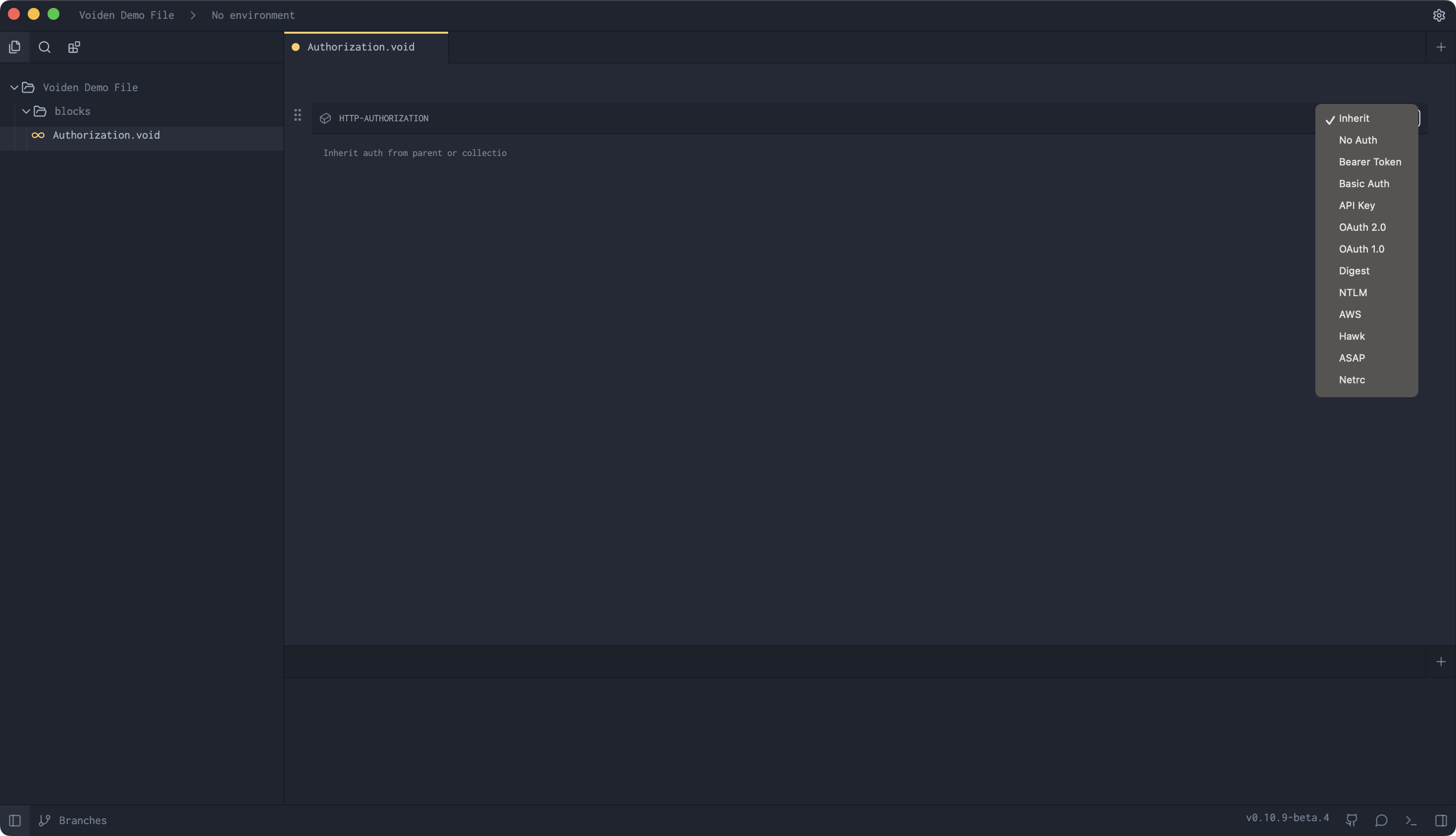
- Select Authorization type for your Authorization.
-
Fill the required params for the Authorization Type.
-
Hit Cmd + Enter (Mac) or Ctrl + Enter (Windows/Linux) to run the request
or click the green Play button in the toolbar. -
Check the Response Panel
🎩 Pro Tip: Want to temporarily disable a header without deleting it?
Use Cmd + / (Mac) or Ctrl + / (Windows/Linux) to comment it out.
It’ll stay visible but won’t be sent with the request — perfect for quick testing.
Supported Authorization Types
Below are all supported authorization options with descriptions:
| Value | Label | Description |
|---|---|---|
| inherit | inherit | Uses the authorization settings from a parent configuration or global context. |
| none | No Authorization | Disables authorization for the current request. |
| bearer | Bearer Token | Uses a Bearer token (commonly used in OAuth 2.0). Example: Authorization: Bearer |
| basic | Basic Authorization | Uses Base64-encoded username and password. Example: Authorization: Basic |
| apiKey | API Key | Uses a predefined API key sent in the header, query, or body, depending on configuration. |
| oauth2 | OAuth 2.0 | Uses OAuth 2.0 protocol for secure delegated access via access tokens. |
| oauth1 | OAuth 1.0 | Uses OAuth 1.0 protocol with request signing for older integrations. |
| digest | Digest | Uses HTTP Digest Authentication — a challenge–response mechanism for added security. |
| ntlm | NTLM | Windows-based authentication commonly used in enterprise networks. |
| awsSignature | AWS | Uses AWS Signature Version 4 for authenticating requests to AWS services. |
| hawk | Hawk | A cryptographic authentication scheme using MAC (Message Authentication Code). |
| atlassianAsap | ASAP | Atlassian Service Authentication Protocol — used for secure service-to-service communication. |
| netrc | Netrc | Uses credentials from a .netrc file for authentication. |